
Windows 7 Task Bar
DownloadApp details
- Version
- 1.8
- Updated
- 16.10.2026
- Category
- Arcade
- Compatibility
- Android 3.0
The Windows 7 Task Bar is a distinctive launcher designed for Android devices that faithfully recreates the familiar interface of the classic desktop operating system. This app brings the nostalgic look and feel of Windows 7 to your mobile screen, offering a unique alternative to standard Android home screens. It is particularly useful for users who appreciate the organized and structured layout of desktop environments, allowing them to manage applications with a sense of familiarity and efficiency.
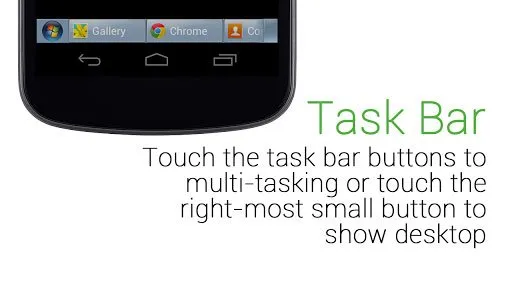
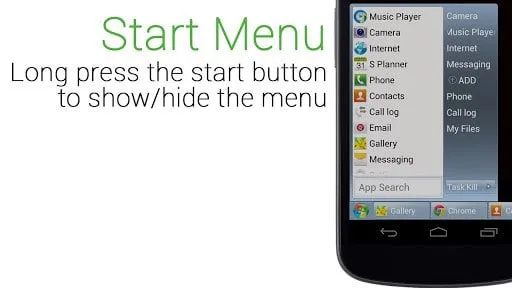
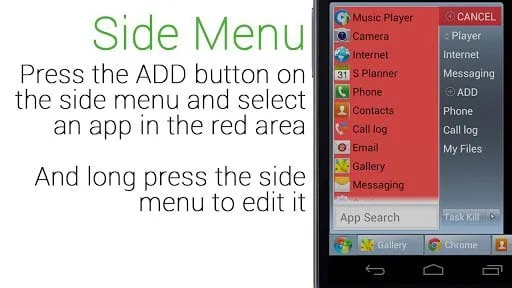
The design mimics the iconic taskbar, providing a seamless transition for those who have spent years using Windows on their personal computers. To open your desired application, simply tap the Start button located in the corner of the screen, just as you would on a PC. Once the menu appears, you can easily select the program you wish to launch from the list.
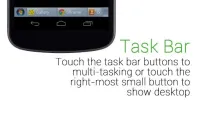
This intuitive interaction model ensures that even users new to this specific launcher can navigate their apps with minimal learning curve. The visual cues are clear, and the placement of elements mirrors the desktop experience, making it easy to locate and launch your favorite tools and games quickly. In addition to launching apps, the taskbar panel displays all currently open programs, giving you a clear overview of your active processes.
You can close individual applications directly from this panel by swiping or using the designated close options.
How to install the app
- Check the version, Android compatibility, developer and source in the app details block.
- Open the Downloads tab and use the official source or an available catalog link.
- Before installing, review app permissions and use only sources you trust.
Frequently asked questions
What is the main feature of the Windows 7 Task Bar launcher?
The main feature is its faithful recreation of the Windows 7 desktop interface, including the Start menu and taskbar for managing apps on Android devices.
How do I close applications in this launcher?
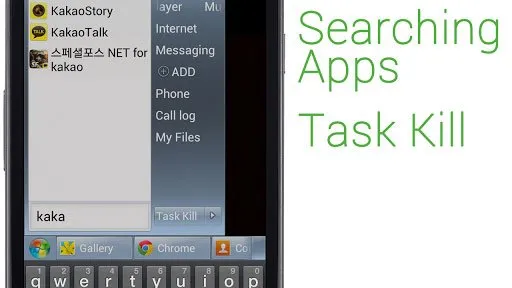
You can close individual apps from the taskbar panel by swiping or using the close option, or use the Task Killer button to close all background processes at once.
Is this launcher suitable for older Android devices?
Yes, the included Task Killer function helps manage system resources, which can improve performance on older devices by freeing up memory from background processes.
Where is the Start button located in the app?
The Start button is located in the corner of the screen, allowing you to access the list of installed programs just like on a traditional Windows PC.
Similar apps


No comments yet. Be the first!