
Link to Windows
Open in Google PlayApp details
- Version
- 1.26091.116.0
- Updated
- 19.09.2026
- Category
- Tools
- Compatibility
- Android 10+
- Package name
com.microsoft.appmanager- Source
- Official Google Play page
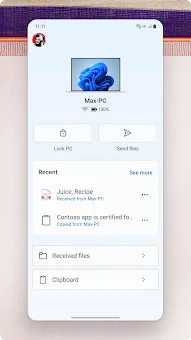
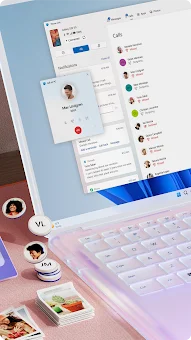
Link to Windows APK transforms how you interact with your mobile device by bridging the gap between your Android phone and your Windows PC. This application allows you to access your phone's content directly from your computer, creating a seamless multi-device experience. By installing the app on your Android device, you can instantly connect it with the Phone Link feature on your Windows PC.
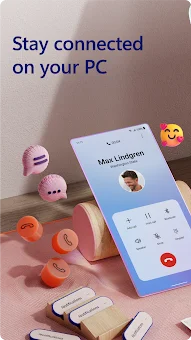
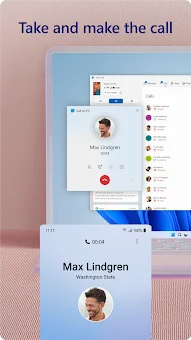
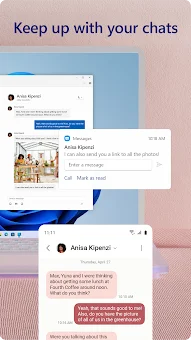
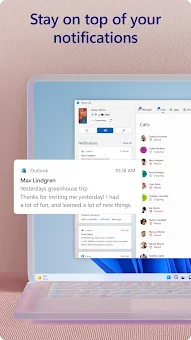
This integration enables you to view and reply to text messages, make and receive calls, and manage notifications without picking up your phone. It is designed for users who want to maximize productivity and keep their digital life synchronized across devices. One of the standout features of this APK is the ability to share media effortlessly.
You can copy, edit, and even drag and drop photos between your phone and PC without ever touching the mobile screen. This functionality extends to text and files, allowing you to copy content on your phone and paste it directly into your PC applications, or vice versa. The app also lets you access your favorite mobile apps on your PC, providing a larger screen, keyboard, and mouse for a more comfortable interaction.
This is particularly useful for reviewing photos, managing messages, or responding to emails while working at your desk. The Link to Windows app is deeply integrated with select Microsoft Duo, Samsung, and HONOR phones, offering an enhanced experience right out of the box.
How to install the app
- Check the version, Android compatibility, developer and source in the app details block.
- Open the official app page on Google Play if a link is available.
- Before installing, review app permissions and use only sources you trust.
Frequently asked questions
What is Link to Windows APK used for?
Link to Windows APK allows you to connect your Android phone to your Windows PC to view and reply to texts, make calls, and access photos directly from your computer screen.
Does Link to Windows require additional apps?
No, the app is often integrated into select Microsoft Duo, Samsung, and HONOR phones, so you can find it in the Quick Access tray without downloading extra software from the Play Store.
What are the system requirements for full features?
Full features like drag and drop require a compatible device. Calls need Windows 10 with Bluetooth. Multiple apps need Windows 10 May 2020 Update, 8GB RAM, and Android 11.0 or higher.
Is data collected via the accessibility service?
No, the accessibility service for screen readers allows control of phone apps using keyboard navigation but does not collect any personal or sensitive data from your device.
Similar apps



No comments yet. Be the first!