
OldRoll
Open in Google PlayApp details
- Version
- 6.7.0
- Updated
- 20.09.2026
- Category
- Photo editors
- Compatibility
- Android 10+
- Package name
com.accordion.analogcam- Source
- Official Google Play page
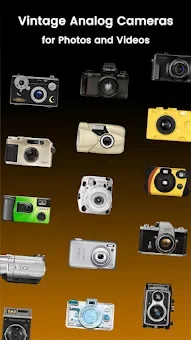
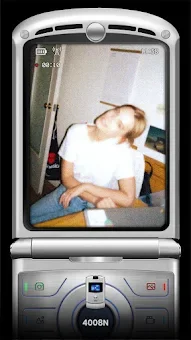
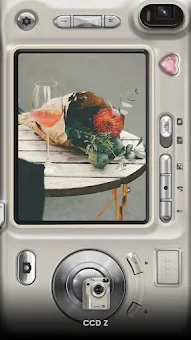
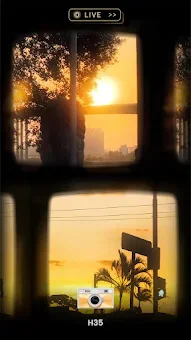
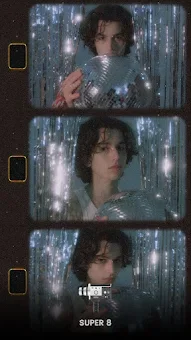
OldRoll is a unique Android application that brings the tactile experience of analog and disposable cameras directly to your smartphone. This retro photo and video editor allows you to recreate the atmosphere of past eras, adding characteristic grain, specific light leaks, and authentic textures to your images. The app offers a wide selection of classic camera styles, ranging from instant photography and fish-eye lenses to Super 8 video cameras, each with its own unique color profile and texture.
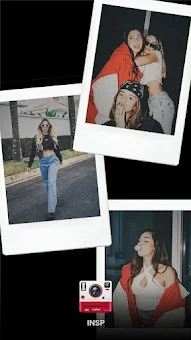
It is the perfect tool for users who want to capture the essence of vintage aesthetics without needing physical film. The core features of OldRoll include realistic filters that simulate various types of film. You can choose from cameras like Classic M, inspired by classic rangefinder cameras with soft tones; 503 CW, known for its natural color saturation and sharp dark detail reproduction even in poor weather; and INS P, which is ideal for group photos with friends thanks to its Polaroid-style frames.
These options provide a diverse range of visual styles to suit different moods and subjects. For those seeking specific artistic effects, OldRoll provides a variety of specialized lenses and presets. The TOY F offers a warm, lo-fi look, while ROL 3.5 features classic vintage presets reminiscent of old Paris.
The NK F adds an apocalyptic texture, and the Kira effect introduces a sparkling shine.
How to install the app
- Check the version, Android compatibility, developer and source in the app details block.
- Open the official app page on Google Play if a link is available.
- Before installing, review app permissions and use only sources you trust.
Frequently asked questions
What makes OldRoll different from other camera apps?
OldRoll simulates the tactile experience of analog cameras with realistic film grains, light leaks, and specific color profiles that mimic physical film types.
Does OldRoll work for low-light photography?
Yes, OldRoll is ideal for creating atmospheric shots in low light using its simulated fade effects and vintage camera presets that enhance mood.
Can I edit photos after taking them in OldRoll?
Absolutely. The app includes powerful editing tools like curves, soft focus, grain adjustment, retro fade, and double exposure for detailed customization.
What is the Post Office feature in OldRoll?
The Post Office feature allows you to send photos directly to a recipient's home screen with a simulated date stamp, mimicking old-fashioned photo sharing.






No comments yet. Be the first!