
OS Style Control Center
DownloadApp details
- Version
- 4.29
- Updated
- 05.10.2026
- Category
- Systemic
- Compatibility
- Android 7.0+
- Package name
com.jalan.control.center.ios15- Developer
- Jalan
- Source
- Official Google Play page
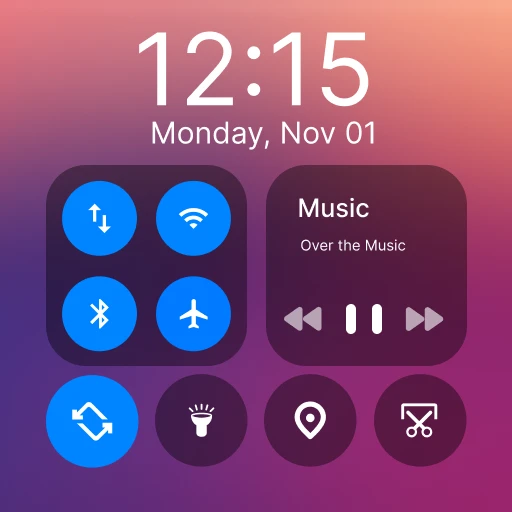
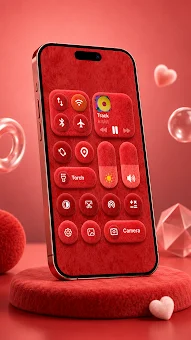
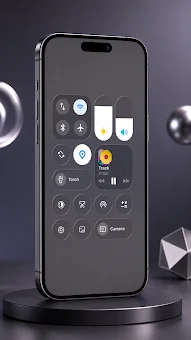
The OS Style Control Center is a powerful Android application that transforms your smartphone's interface into a modern, aesthetic, and highly functional experience. Designed for users who crave a fresh look beyond the standard stock controls, this app provides a panel with quick access to essential settings, mimicking the sleek design of newer operating systems. It completely changes the appearance of your quick settings panel, offering an intuitive and visually appealing layout that enhances usability without cluttering the screen with unnecessary elements.
This app includes more than thirty useful toggles, allowing you to manage your device's core functions with ease. You can instantly toggle Wi-Fi, Bluetooth, airplane mode, flashlight, and do not disturb modes with a single tap. The interface is optimized for speed, ensuring that you can access the most important settings quickly without navigating through multiple menus.
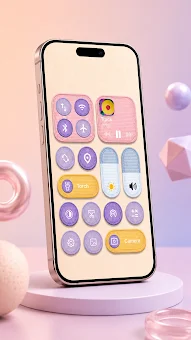
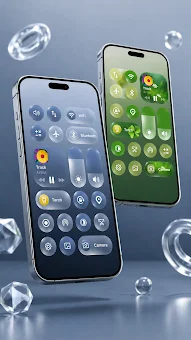
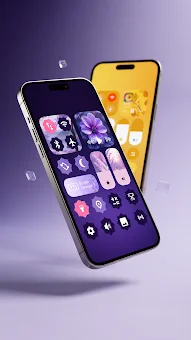
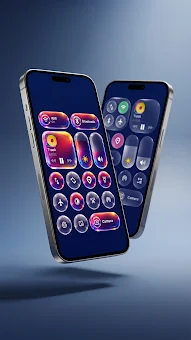
The design is both minimalist and modern, catering to users who appreciate clean aesthetics and efficient functionality. One of the standout features is the ability to customize the color of the tiles, letting you adapt the interface to your personal taste. You can also set custom wallpapers for the control panel, creating a unique look for your smartphone.
The app supports media controls and notification display on the lock screen, making it convenient to review information even when your device is locked.
How to install the app
- Check the version, Android compatibility, developer and source in the app details block.
- Open the Downloads tab and use the official source or an available catalog link.
- Before installing, review app permissions and use only sources you trust.
Frequently asked questions
Does OS Style Control Center support custom wallpapers?
Yes, the application allows users to set custom wallpapers for the control panel, enabling a personalized and unique visual appearance for the interface on your Android device.
Can I use this app with Bluetooth headphones?
Yes, the app supports operation with Bluetooth headphones, providing convenient audio control and media management directly from the quick settings panel overlay.
Does the app display notifications on the lock screen?
Yes, the application supports the display of media controls and notifications on the lock screen, allowing you to review information and manage settings without unlocking your phone.
Similar apps




No comments yet. Be the first!