
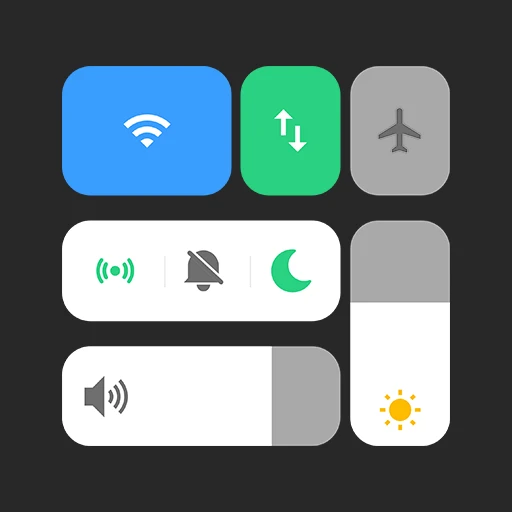
Vivo Style Control Center
DownloadApp details
- Version
- 5.6
- Updated
- 08.09.2026
- Category
- Systemic
- Compatibility
- Android 12+
- Package name
com.jalan.control.center.vivo- Source
- Official Google Play page
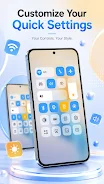
Vivo Style Control Center is an innovative Android application designed to completely transform the appearance of your device's quick settings panel located at the top of the screen. This tool is perfect for users who want to give their mobile device a more modern and individualized look by imitating the aesthetic style of the well-known Vivo brand. The app offers a convenient interface that is not only visually appealing but also ensures quick access to the most important smartphone functions without cluttering the screen.
The key capabilities of the program focus on improving user interaction with the system. A standout feature is the presence of control buttons for thirty of the most popular settings, allowing you to instantly toggle functions such as Wi-Fi, Bluetooth, the LED flashlight, and others without diving into complex system menus. This direct access saves time and reduces the number of taps required to adjust common preferences, making daily navigation smoother and more intuitive for Android users.
Additionally, the app integrates notification display capabilities, enabling you to view important messages directly on the control panel without interrupting your current activities. Special attention is paid to personalization; users can customize background images by choosing their favorite wallpapers for the panel, making the interface truly unique to their taste.
How to install the app
- Check the version, Android compatibility, developer and source in the app details block.
- Open the Downloads tab and use the official source or an available catalog link.
- Before installing, review app permissions and use only sources you trust.
Frequently asked questions
What is Vivo Style Control Center APK?
It is an Android app that customizes the quick settings panel to resemble the Vivo brand style, offering direct access to 30 common settings.
Does the app require special permissions?
Yes, it uses Accessibility Service for overlay and lock screen features, and notification read permission for displaying alerts on the panel.
Can I control Bluetooth audio with this app?
Yes, the app supports Bluetooth devices like headphones and AirPods, allowing direct audio control from the custom control panel.
Similar apps






No comments yet. Be the first!