
PDF AI - Reader & Assistant
DownloadApp details
- Version
- 1.0.0
- Updated
- 04.10.2026
- Category
- Tools
- Compatibility
- Android
- Package name
com.matyteam.aier- Developer
- Maty Team
- Source
- Official Google Play page
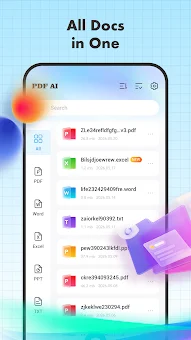
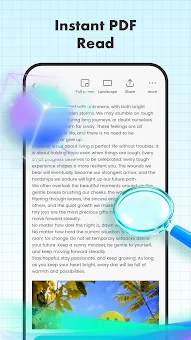
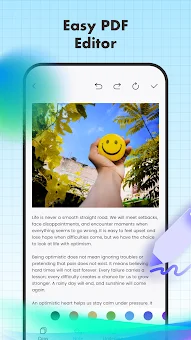
PDF AI - Reader & Assistant is a unique Android application that combines convenient document viewing, effective file management, and powerful artificial intelligence features. This tool allows you to open, read, and analyze PDF, Word, Excel, and PowerPoint files directly on your smartphone or tablet. It is designed for those who value their time and want a powerful assistant for working with text information at their fingertips.
One of the key features is the ability to ask questions about supported documents. You can highlight text or simply upload a file, and the artificial intelligence will provide answers based on the available text in the document. It is important to remember that AI responses may contain errors, so critical information should always be verified against the original source to ensure accuracy.
Additionally, the program allows you to create summaries (samaris) from PDF files. This is an ideal tool for quickly getting familiar with the main topics of educational materials, reports, forms, and other large documents without needing to read them entirely. It saves significant time by distilling complex content into digestible key points.
For audio users, a text-to-speech function is included. You can listen to the content of supported documents, with playback continuing even in the background or when the screen is locked.
How to install the app
- Check the version, Android compatibility, developer and source in the app details block.
- Open the Downloads tab and use the official source or an available catalog link.
- Before installing, review app permissions and use only sources you trust.
Frequently asked questions
What file formats does the app support?
The application supports reading and analyzing PDF, Word, Excel, and PowerPoint files directly on your Android device for convenient mobile access.
Can I listen to documents in the background?
Yes, the app includes a text-to-speech feature that allows you to listen to documents with playback continuing even when the screen is locked or in the background.
Does the app support converting images to PDF?
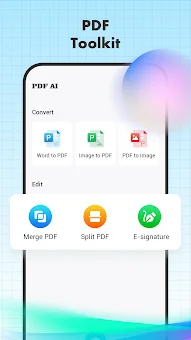
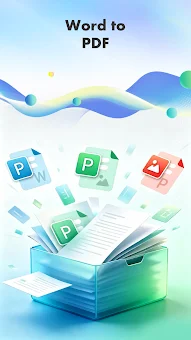
Yes, you can convert JPG or PNG images and camera scans into PDF documents using the built-in tools for creating and editing files efficiently.
Is the AI summary feature accurate?
While the AI provides summaries based on document text, it may contain errors, so it is recommended to verify critical information against the original source document.
No comments yet. Be the first!