
PDF Helper
DownloadApp details
- Version
- 1.0.8
- Updated
- 06.10.2026
- Category
- Tools
- Compatibility
- Android
- Package name
com.pdfscan.editortools- Developer
- Thiên Thanh
- Source
- Official Google Play page
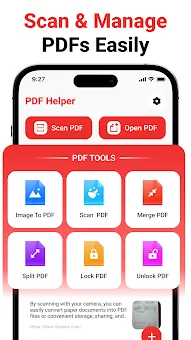
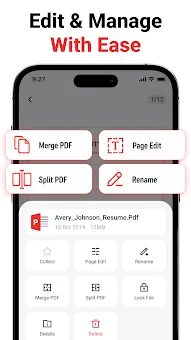
PDF Helper is a comprehensive and practical Android application designed to streamline your workflow with PDF files. It serves as a versatile tool that combines essential document utilities into a single, easy-to-use interface. Whether you are a student, a professional, or someone who needs to manage receipts and notes, this app provides the necessary instruments to handle PDF tasks efficiently without the need for multiple different applications.
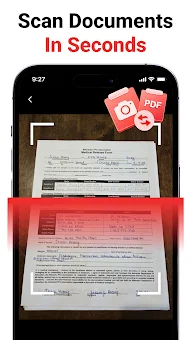
One of the standout features is the ability to scan paper documents directly using your phone's camera. You can capture receipts, handwritten notes, forms, certificates, and other physical papers, then convert them instantly into high-quality PDF files. This feature is incredibly useful for digitizing important records on the go.
After capturing the pages, you can preview them and save them to your device in a standard PDF format, ensuring your documents are organized and accessible anytime. The app also excels at image-to-PDF conversion. You can select photos, screenshots, or scanned images from your gallery and merge them into a single PDF document.
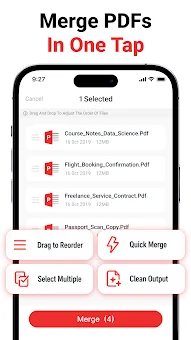
This is perfect for creating digital portfolios or compiling multiple images into a cohesive report. Additionally, the file merging function allows you to combine several existing PDF files into one large document, making sharing and reading more convenient.
How to install the app
- Check the version, Android compatibility, developer and source in the app details block.
- Open the Downloads tab and use the official source or an available catalog link.
- Before installing, review app permissions and use only sources you trust.
Frequently asked questions
Can I scan paper documents and convert them to PDF using PDF Helper?
Yes, PDF Helper allows you to use your Android phone camera to scan paper documents like receipts and notes, then convert them directly into PDF files for easy storage and sharing.
How do I merge multiple PDF files into one document?
You can use the merge function within the app to combine several existing PDF files into a single document. This is useful for creating comprehensive reports or organizing related files together.
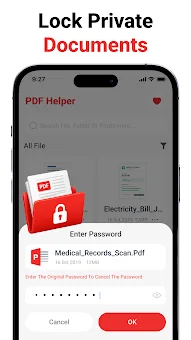
Is it possible to add password protection to my PDFs?
Yes, the app supports password protection for PDF files. You can secure your documents by adding a password to prevent unauthorized access, or unlock protected files if you know the correct password.
Does the app support sorting and searching for files?
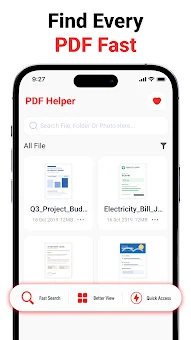
Yes, PDF Helper includes tools to search for files by name and sort them by name or date. This helps you quickly locate specific documents and keep your digital library organized efficiently.
No comments yet. Be the first!