
QR Scanner & Barcode Reader
Open in Google PlayApp details
- Version
- 1.3.2
- Updated
- 17.09.2026
- Category
- Tools
- Compatibility
- Android 10+
- Package name
com.bupavon.qrcode.reader.scanner.barcode.generator- Source
- Official Google Play page
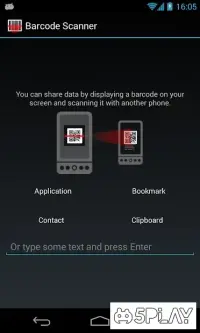
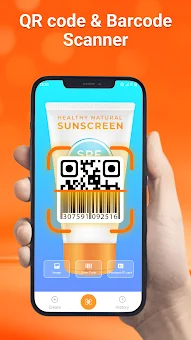
The QR Scanner & Barcode Reader APK is a powerful utility designed for quick and accurate identification of various codes using your smartphone camera. This versatile tool allows you to instantly recognize barcodes and QR codes, making it an essential asset for everyday tasks. Whether you are a student, a business professional, a traveler, or simply someone who values efficiency, this application streamlines the process of accessing information without the need for manual typing or searching.
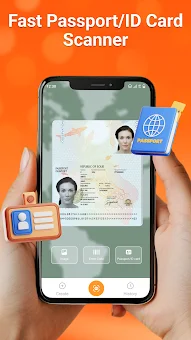
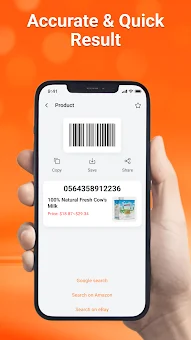
One of the standout features of this app is its ability to read data from passports and ID documents directly through the camera. This functionality is particularly useful for professionals who need to verify information quickly or for travelers who want to digitize important document details. The high precision of the scanning engine ensures that results are accurate and delivered without delay, saving you valuable time in your daily routine.
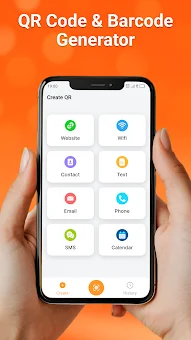
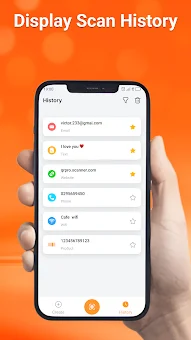
You can store your scanning history for future reference, ensuring that no important link or code is ever lost. Creating your own codes is equally seamless with this application. You can generate QR codes for websites, Wi-Fi connection parameters, contact details, or plain text in just a few seconds.
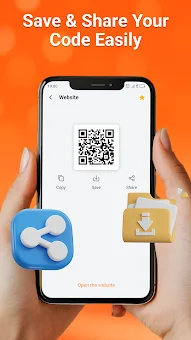
These custom codes can be saved directly to your device's memory or shared instantly with friends and colleagues via social media or messaging apps.
How to install the app
- Check the version, Android compatibility, developer and source in the app details block.
- Open the official app page on Google Play if a link is available.
- Before installing, review app permissions and use only sources you trust.
Frequently asked questions
Can I scan passports and ID documents with this app?
Yes, the app allows you to read data from passports and ID documents directly using your smartphone camera for quick verification.
How do I create my own QR codes?
You can generate custom QR codes for websites, Wi-Fi details, contacts, or text in seconds and save them to your device or share them instantly.
Is the scanning history saved for future use?
Yes, all scanned and created codes are stored in the app's memory, allowing you to review and reuse them whenever you need them.
What types of codes can this app read?
The app can recognize various QR codes and barcodes, including product codes, URLs, contact information, and Wi-Fi connection parameters.

No comments yet. Be the first!