
TV Remote: Wi-Fi Control
DownloadApp details
- Version
- 1.0
- Updated
- 05.10.2026
- Category
- Tools
- Compatibility
- Android
- Package name
com.codeplay.tv.remote- Developer
- Code Play
- Source
- Official Google Play page
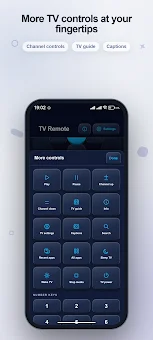
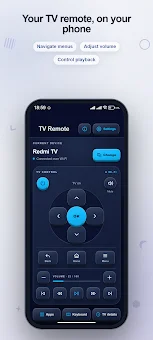
Transform your smartphone into a powerful remote control for your television with the TV Remote: Wi-Fi Control APK. This Android application turns your device into a convenient tool for managing supported TVs via your local Wi-Fi network. By utilizing the Android TV Remote Service v2, you gain access to a comprehensive set of navigation tools, volume controls, media management features, and quick text input capabilities, all without leaving your comfortable viewing spot.
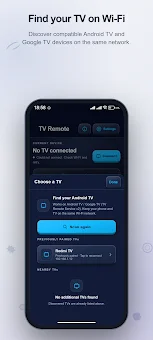
It is an ideal solution for users who want to replace multiple physical remotes with a single, versatile device. To begin using the app, ensure that both your phone and television are connected to the same Wi-Fi network. Simply press the connect button to discover available devices on your network.
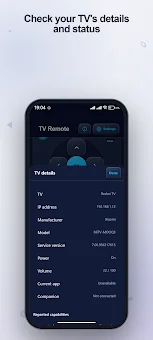
To confirm the connection, enter the six-digit code displayed on your TV screen. The application interface clearly illustrates the current status, indicating whether you are connected, paired, in offline mode, or need to retry the connection. This visual feedback ensures a smooth and hassle-free setup process every time you start your entertainment session.
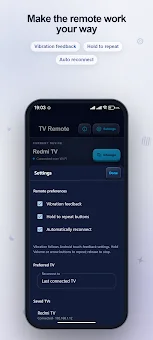
Once paired, you can manage your saved devices with ease. You have the option to rename devices for better organization, delete them when no longer needed, or set a specific device as your primary remote. The app supports automatic reconnection, which can be configured within the settings to save time during future sessions.
How to install the app
- Check the version, Android compatibility, developer and source in the app details block.
- Open the Downloads tab and use the official source or an available catalog link.
- Before installing, review app permissions and use only sources you trust.
Frequently asked questions
How do I connect TV Remote: Wi-Fi Control to my television?
Ensure both devices are on the same Wi-Fi network, press connect, and enter the six-digit code shown on your TV screen to pair them successfully.
Can I use this app to control media playback on my TV?
Yes, the app includes dedicated buttons for play, pause, stop, rewind, fast forward, and skipping episodes for seamless media management.
Does the app support text input for searching on TV?
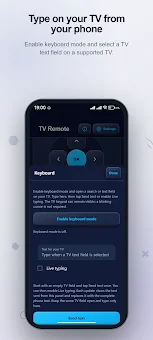
Yes, a virtual keyboard opens for typing text on your phone, which is then sent to the TV with a tap, supporting search and character deletion.
How do I manage multiple saved TV devices in the app?
You can rename saved devices for clarity, delete them when not needed, or set one as your primary remote for quick access in the settings.
No comments yet. Be the first!