

Vivo Browser
DownloadApp details
- Version
- 2.0.4.0
- Updated
- 10.10.2026
- Compatibility
- Android 8.0+
- Package name
com.vivo.browser- Source
- Official Google Play page
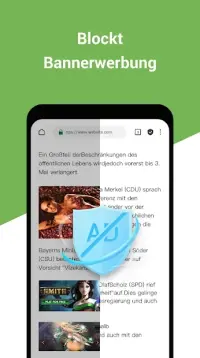
Vivo Browser is the official browser designed for Vivo mobile phones, providing fast and convenient access to online information. With its unique features, this browser ensures a comfortable surfing experience, efficient content downloading, and private browsing capabilities. One of its standout features is ad blocking, effectively preventing pop-ups, banners, and other annoying advertisements from interrupting your browsing.
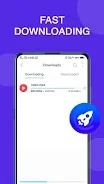
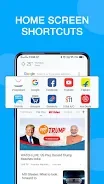
Users can enjoy swift downloads of their favorite videos, songs, and files without delays. Stay updated with the latest news effortlessly, receiving real-time notifications about trending topics and events. The browser also allows users to create shortcuts on their home screen for quick access to popular websites with just a tap.
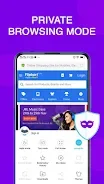
For video enthusiasts, Vivo Browser offers easy access to trending and funny videos directly from the browser interface. Cricket fans will appreciate the quick notifications about match results, ensuring they never miss a crucial moment. The incognito mode provides a secure and private browsing experience, safeguarding your history from being saved.
Additionally, the night mode enhances your surfing experience in low-light conditions, making it easier on the eyes. Vivo Browser is particularly beneficial for users looking for a fast and user-friendly way to access online content, including news, videos, and sports updates. This powerful tool combines speed, convenience, and security, making it ideal for mobile users who want to avoid intrusive ads while ensuring their privacy during browsing.
Whether you're looking to download content quickly or stay informed about the latest happenings, Vivo Browser caters to all your browsing needs. Experience a seamless online journey with Vivo Browser, the go-to choice for Vivo mobile users seeking an efficient browsing solution.
How to install the app
- Check the version, Android compatibility, developer and source in the app details block.
- Open the Downloads tab and use the official source or an available catalog link.
- Before installing, review app permissions and use only sources you trust.
Frequently asked questions
What is Vivo Browser?
Vivo Browser is the official web browser for Vivo mobile phones, offering fast and secure browsing.
Does Vivo Browser block ads?
Yes, Vivo Browser effectively blocks pop-ups and ads for a smoother browsing experience.
Is there a private browsing mode?
Yes, Vivo Browser includes an incognito mode for secure and private browsing.
Can I download videos using Vivo Browser?
Absolutely, Vivo Browser allows fast downloads of videos, songs, and files.
Similar apps








No comments yet. Be the first!