
Alarm Clock: Alarm App & Sleep
DownloadApp details
- Version
- 1.25.1
- Updated
- 30.09.2026
- Category
- Tools
- Compatibility
- Android 8.0+
- Package name
com.revoke.health.alarmclock- Source
- Official Google Play page
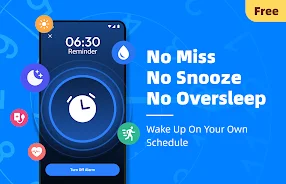
The Alarm Clock: Alarm App & Sleep is more than just a loud alarm; it's your companion for healthier waking habits. This app is designed to help you cultivate better sleep routines and start each day energized and informed. With powerful alarm tools, gentle sleep reminders, and a collection of useful articles, you can wake up on time and maintain consistency in your daily schedule.
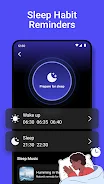
The app features professionally optimized, crystal-clear alarm sounds that are loud enough to wake even the heaviest sleepers, offering a choice of several ringtones or the option to use your favorite song. Sleep habit reminders are another key aspect of this app, providing gentle notifications that support a regular sleep and wake schedule. By forming long-term sleep habits with minimal effort, you can improve your overall well-being.
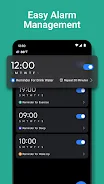
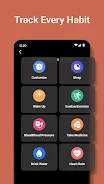
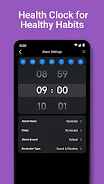
The user-friendly interface allows for quick setup, editing, and activation or deactivation of alarms. You can choose specific days for alarms, whether for weekdays, weekends, or a personalized schedule, making it easy to manage your wake-up times. In addition to alarm features, the app promotes healthy habits by integrating daily health reminders into your morning routine.
Small tips will help you stay on track with your wellness goals. Furthermore, you can access a curated selection of articles on sleep, health, and healthy living, providing practical advice that you can implement immediately. This app is beneficial for anyone looking to enhance their sleep quality, maintain a regular schedule, and receive valuable health information.
With the Alarm Clock: Alarm App & Sleep, you can enjoy stress-free mornings, loud customizable wake-up signals, and educational content to reinforce healthy habits. This easy-to-use app is focused on your well-being.
How to install the app
- Check the version, Android compatibility, developer and source in the app details block.
- Open the Downloads tab and use the official source or an available catalog link.
- Before installing, review app permissions and use only sources you trust.
Frequently asked questions
What features does the Alarm Clock app offer?
The app includes customizable alarms, sleep habit reminders, and health articles to improve your morning routine.
Is the alarm sound adjustable?
Yes, you can choose from various ringtones or use your favorite song as an alarm sound.
Can I set alarms for specific days?
Absolutely! You can set alarms for weekdays, weekends, or customize them to fit your schedule.
How does the sleep habit reminder work?
The app sends gentle notifications to help you maintain regular sleep and wake times.






No comments yet. Be the first!