
Alarmy: Smart Alarm Clock
Open in Google PlayApp details
- Version
- 1.1.0
- Updated
- 13.09.2026
- Category
- Tools
- Compatibility
- Android
- Package name
com.alarm.clock.smart.alarmy- Source
- Official Google Play page
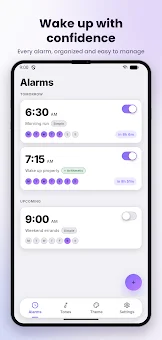
Alarmy is a highly effective smart alarm clock application designed for Android devices that truly ensures you wake up. It operates completely autonomously without requiring an internet connection, making it an ideal choice for users who are tired of superficial wake-up calls and inconsistent connectivity issues. The core feature of Alarmy is its arithmetic challenge system.
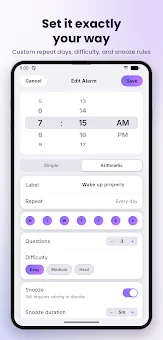
If standard sounds are no longer sufficient to rouse you from deep sleep, the app requires you to solve math problems before you can dismiss the alarm. You must answer between one and ten questions depending on the selected difficulty level, ranging from simple calculations to more complex tasks. This process guarantees that your brain engages fully before you can hit the snooze button.
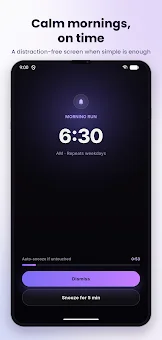
The application is reliable in its architecture. The alarm sound plays over the screen lock, similar to a standard phone clock. Simply swiping the screen does not dismiss the alarm; you must actually solve the assigned task.
Alarmy survives phone reboots, meaning alarms activate automatically even before you unlock the device. The time processing is precise, not approximate. Customization options make the app unique.
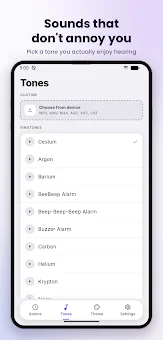
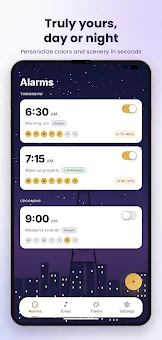
You can import any audio file or use standard sounds. Various themes are available, including solid colors, gradients, textures, hand-drawn images, or your own photos. Light or dark modes automatically adapt to the theme.
A major advantage is full autonomy.
How to install the app
- Check the version, Android compatibility, developer and source in the app details block.
- Open the official app page on Google Play if a link is available.
- Before installing, review app permissions and use only sources you trust.
Frequently asked questions
Does Alarmy require an internet connection to function?
No, Alarmy operates completely autonomously without needing an internet connection, ensuring privacy and stable operation even offline.
What happens if I reboot my phone?
Alarmy survives phone reboots and alarms will activate automatically even before you unlock the device, ensuring you do not miss your wake-up time.
Is Alarmy free to use?
Yes, the program is completely free with no subscriptions, additional purchases, ads, or tracking, making it a cost-effective solution for reliable waking.
How does the arithmetic alarm work?
You must solve math problems of varying difficulty to dismiss the alarm, ensuring your brain engages fully before you can hit the snooze button.








No comments yet. Be the first!