

All Video Downloader & Player
DownloadApp details
- Version
- 1.9.8
- Updated
- 08.10.2026
- Category
- Tools
- Compatibility
- Android 7.0+
- Package name
videoplayer.videodownloader.downloader- Developer
- QR Code Scanner.
- Source
- Official Google Play page
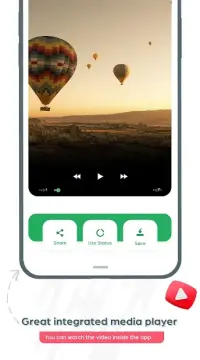
All Video Downloader & Player, also known as AcePlayer, is a powerful and versatile video player and downloader designed specifically for Android smartphones and tablets. This application combines high-quality video playback with a robust downloading capability, allowing users to enjoy cinema premieres and visual experiences directly on their mobile devices. The software is renowned for its stability and support for the latest video formats, making it an indispensable tool for multimedia enthusiasts who demand performance and reliability in their daily usage.
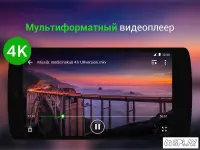
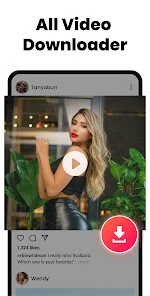
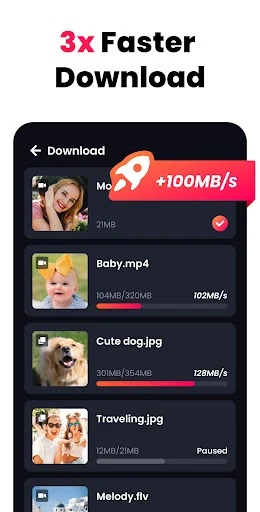
The application excels in providing smooth playback of videos in various resolutions, including HD, UHD, and 4K. AcePlayer supports a wide range of file formats such as MKV, MP4, M4V, MOV, 3GP, FLV, F4V, and WEBM. A key feature is the ability to download popular online videos in high resolution with remarkable speed.
The app also supports picture-in-picture mode, enabling users to watch videos while using other applications, enhancing multitasking efficiency on Android devices. Additional functionalities include background downloading and playback, which allow users to listen to audio or view content while working in other apps. For privacy, the app offers a password-protected private folder where users can hide personal videos and movies.
The software automatically detects local video files and provides extensive management features, such as A-B repeat, loop playback, sleep timer, and smart gesture controls.
How to install the app
- Check the version, Android compatibility, developer and source in the app details block.
- Open the Downloads tab and use the official source or an available catalog link.
- Before installing, review app permissions and use only sources you trust.
Frequently asked questions
What video formats does AcePlayer support?
AcePlayer supports a wide variety of video formats including MKV, MP4, M4V, MOV, 3GP, FLV, F4V, and WEBM for smooth playback on Android devices.
Can I use picture-in-picture mode on Android?
Yes, the app supports picture-in-picture mode, allowing you to watch videos in a floating window while using other applications on your Android device.
Is there a private folder for hiding videos?
Yes, the application includes a password-protected private folder where you can securely hide your personal videos and movies from other users.
Does it support background playback?
Yes, AcePlayer allows background playback and downloading, so you can listen to audio or view content while working in other apps on your phone.
Similar apps









No comments yet. Be the first!