
Cast To TV - Screen Mirroring
DownloadApp details
- Version
- 1.1
- Updated
- 28.09.2026
- Category
- Multimedia
- Compatibility
- Android
- Package name
com.screenmirror.tvcast.app- Developer
- MALA MERCHANT
- Source
- Official Google Play page
Transform your smartphone into a powerful control hub for your television with Cast To TV - Screen Mirroring, a versatile Android application designed to bridge the gap between your mobile device and your big screen. This universal add-on allows you to seamlessly connect your smart device to your TV, creating a convenient ecosystem where you can manage content, control playback, and mirror your display with ease. It is an essential tool for anyone who wants to maximize the utility of their Android phone while enjoying media on a larger display.
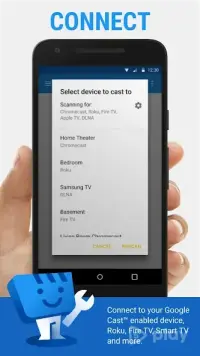
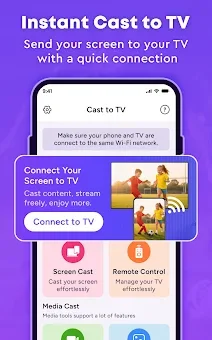
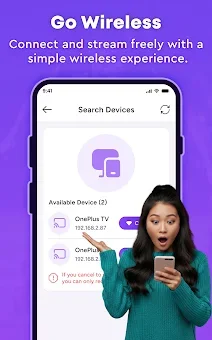
The app offers multiple interaction modes to suit your needs, ranging from full screen mirroring to targeted file transmission. Connecting is quick and intuitive; simply scan for available devices on your network and follow the pairing steps. Once installed, you can instantly switch between remote control, screen mirroring, and content casting modes depending on your current activity.
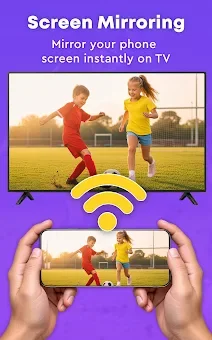
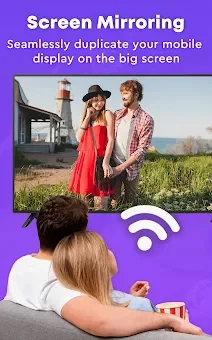
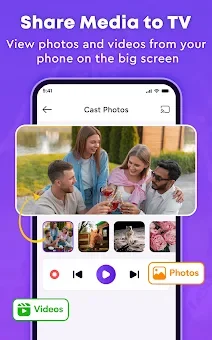
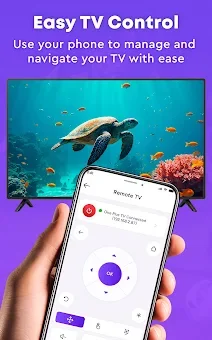
If you have lost your remote, this app becomes an indispensable assistant for managing channels, adjusting volume, and controlling playback directly from your phone. Screen mirroring functionality allows you to project your mobile interface onto the TV, making it perfect for sharing photos, videos, or apps with family and friends. Alternatively, you can use the casting mode to display only specific media files without cluttering the screen with notifications or other app interfaces.
How to install the app
- Check the version, Android compatibility, developer and source in the app details block.
- Open the Downloads tab and use the official source or an available catalog link.
- Before installing, review app permissions and use only sources you trust.
Frequently asked questions
How does Cast To TV connect to my television?
The app connects to your TV by scanning for available devices on your local network and following simple pairing instructions to establish a stable connection for mirroring or casting.
Can I use this app as a replacement for my TV remote?
Yes, Cast To TV includes a remote control mode that allows you to manage channels, adjust volume, and control playback directly from your smartphone, serving as a great backup.
What is the difference between mirroring and casting?
Screen mirroring displays your entire phone screen on the TV, while casting mode allows you to stream specific media files or web content without showing the rest of your phone's interface.
Similar apps



No comments yet. Be the first!