
TV Cast Screen Mirroring App
DownloadApp details
- Version
- 1.0.8
- Updated
- 29.09.2026
- Category
- Tools
- Compatibility
- Android 7.0+
- Package name
tvcast.wireless.display.screenmirroring.screenshare- Developer
- FunPeak
- Source
- Official Google Play page
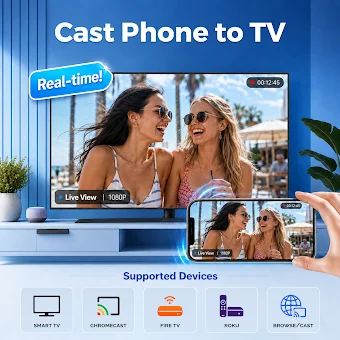
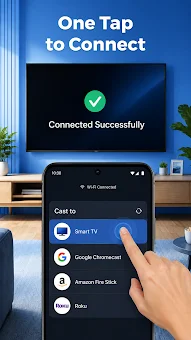
Watching videos or looking at family photos on a small phone screen can be frustrating. Whether you are sharing vacation clips, streaming online shows, or playing mobile games, a small mobile screen isn't ideal. TV cast screen mirroring gives you an easy way to connect to TV wirelessly, bringing all your favorite media onto the big display without needing cables or complicated hardware.
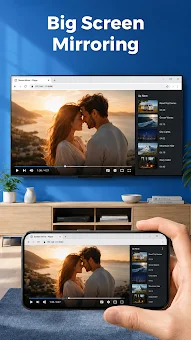
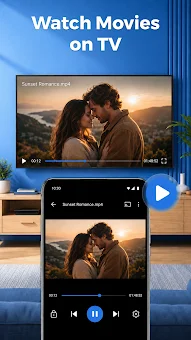
This utility transforms your living room into a digital home theater with smart view features built for everyday media streaming. The app offers robust Photo & video Screencast capabilities, allowing you to stream gallery pictures, personal clips, and online movies in 4K resolution. You can also use the Web Video Caster to play web clips and online media straight from your browser to your television screen.
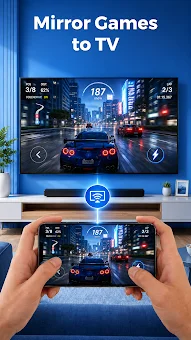
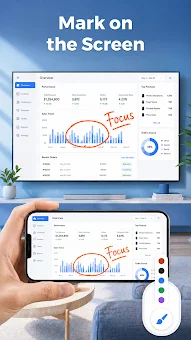
For gamers, the Mobile Gaming Display feature mirrors your phone screen to enjoy action games on a big screen with smooth response times, enhancing the visual experience significantly. Beyond entertainment, the app supports Work & Classroom Presentations, letting you share slides, PDFs, and spreadsheets wirelessly during business meetings or study sessions. It also includes IPTV by Country, enabling users to browse channels by country and cast their favorite channel to the TV.
How to install the app
- Check the version, Android compatibility, developer and source in the app details block.
- Open the Downloads tab and use the official source or an available catalog link.
- Before installing, review app permissions and use only sources you trust.
Frequently asked questions
Does TV Cast Screen Mirroring App require a specific Wi-Fi network?
Yes, both your phone and television must be connected to the exact same Wi-Fi network to establish a stable connection for screen mirroring and casting media content.
Which wireless protocols does the app support for casting?
The application utilizes standard Miracast, Anycast, and wireless display protocols to ensure reliable screen share support across popular television platforms and receivers.
Can I use this app to cast to Chromecast devices?
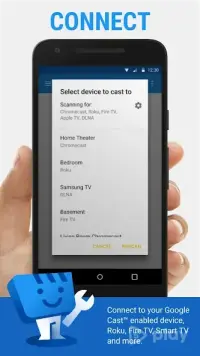
Yes, the app provides smooth cast to Chromecast compatibility, allowing you to stream local gallery files, web video content, and online streams directly to your Chromecast device.
What features are included in the VIP upgrade?
VIP access includes an ad-free TV Cast interface, high-bitrate 4K streaming support for higher quality media, and priority VIP customer support for quicker assistance with technical issues.
Similar apps


No comments yet. Be the first!