

Comfer Launcher for Comfort
DownloadApp details
- Version
- 56.0
- Updated
- 03.10.2026
- Category
- Systemic
- Compatibility
- Android 12+
- Package name
com.jeerovan.comfer- Developer
- Jeerovan
- Source
- Official Google Play page
Comfer Launcher for Comfort transforms your Android device into a streamlined, distraction-free environment. Designed for speed and efficiency, this minimalist home screen replacement allows you to reclaim your focus. The interface is optimized for comfortable one-handed use, making it easier to navigate your apps with precision and ease.
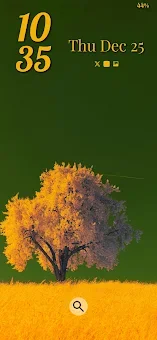
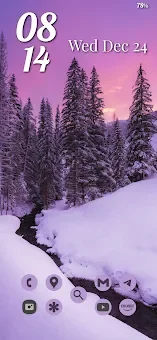
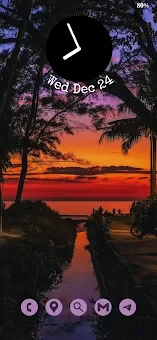
Whether you are a productivity enthusiast or simply want a cleaner look, this launcher delivers a smooth and responsive experience that enhances your daily interaction with your device. Customization is at the heart of Comfer Launcher. You can enjoy automatic wallpapers from Unsplash or your own photo collection, set to change hourly or daily with Day and Night mode support.
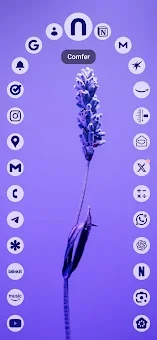
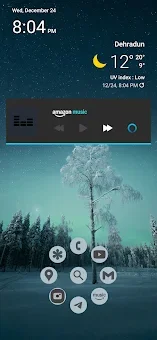
Fluid animations and motion-enhanced screens give the home screen a lively feel. Match icon colors with your wallpaper, customize their size and shape, and access widgets instantly using swipe gestures or by placing them directly on your home screen. You can also customize default date-time widgets to suit your preferences.
Organize your digital life with custom layouts. Arrange your apps exactly the way you want them on the home screen and app drawer. Perform tasks faster with quick swipe gestures for apps and actions.
Manage your installed apps by organizing them, hiding unused ones, and customizing their order and categories. The launcher supports multiple languages, ensuring a personalized experience for users worldwide.
How to install the app
- Check the version, Android compatibility, developer and source in the app details block.
- Open the Downloads tab and use the official source or an available catalog link.
- Before installing, review app permissions and use only sources you trust.
Frequently asked questions
Does Comfer Launcher collect user data?
Comfer Launcher uses the Accessibility Service only to open the recent apps screen and does not monitor your actions or collect any personal data.
Can I customize the icons and wallpapers?
Yes, you can match icon colors with your wallpaper, customize their size and shape, and set automatic wallpapers from Unsplash or your own photos.
What permissions does the app require?
It requires Accessibility Service for shortcuts and Notification Listener Service for badges. Both are optional and can be disabled in your device settings.
Similar apps








No comments yet. Be the first!