
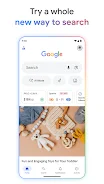
The Google app brings a wealth of features designed to enhance your information search experience. With the AI mode, you can ask complex questions and receive insightful answers through web links. Whether you prefer typing, speaking, or using images, the app offers diverse ways to access information.
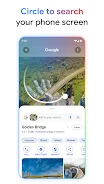
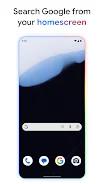
The new Circle Search feature allows you to instantly find information about what you see on your screen without switching apps. Simply outline, highlight, or tap on images, videos, or text to get results, available on select premium Android smartphones. The Google Search widget enables you to conduct searches directly from your home screen.
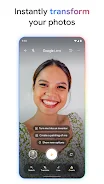
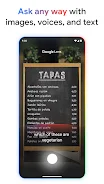
Customize shortcuts for quick tasks like translating text, searching for songs, or checking the weather. You can personalize the widget's appearance by adjusting colors and transparency to match your style. Google Lens is another powerful tool that helps you search for what you see.
If you struggle to describe something, just use your camera, image, or screenshot to find information. Identify plants or animals, discover similar products, translate text, and even get homework help effortlessly. If you can't remember a song's title, the Hum to Search feature lets you hum the melody, and Google will help you identify it without needing lyrics or the artist's name.
Stay informed on topics that matter to you with personalized news, articles, and videos tailored to your interests. This app is perfect for anyone looking to stay updated, explore new subjects, or quickly find answers to their questions. Whether you're a student, a professional, or simply curious about current events, the Google app offers a secure and convenient way to access information.
It assists in discovering and learning new topics while providing creative opportunities through artificial intelligence. Experience the latest features and unlock a world of possibilities with Google.
Similar apps






No comments yet. Be the first!
Leave a comment