
All Recovery
DownloadApp details
- Version
- 1.2.80
- Updated
- 15.10.2026
- Category
- Miscellaneous
- Compatibility
- Android 7.0+
- Package name
com.allphotos.allfiles.find.recovery- Source
- Official Google Play page
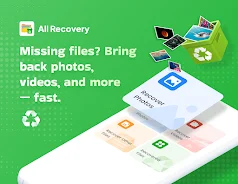
Data recovery can be a real challenge when important photos, videos, or files disappear. However, with the All Recovery app, this process has become possible in just a few seconds. The app features deep scanning of your device to detect files that you thought were lost forever.
You can preview the found files before recovery to ensure their content is intact, and restore them in their original quality. Whether you need to recover a single memorable photo or an entire folder, All Recovery allows you to retrieve lost data quickly, safely, and effortlessly. This app is beneficial for anyone facing data loss issues on their device—from casual users to professionals.
If you accidentally deleted important files or your device experienced a malfunction, All Recovery will be your reliable assistant in recovering essential materials. In summary, All Recovery is an effective tool for quickly restoring lost photos, videos, and files. With its help, you can reclaim your valuable memories and data without unnecessary hassle.
Don't let data loss become a source of stress—use All Recovery to get them back.
How to install the app
- Check the version, Android compatibility, developer and source in the app details block.
- Open the Downloads tab and use the official source or an available catalog link.
- Before installing, review app permissions and use only sources you trust.
Frequently asked questions
What types of files can All Recovery recover?
All Recovery can recover photos, videos, and various file types that were deleted from your device.
Is All Recovery safe to use?
Yes, All Recovery is designed to safely recover lost data without causing further damage to your device.
Do I need to root my device to use All Recovery?
No, All Recovery can function without rooting your device, making it accessible for all users.
How does the deep scanning feature work?
The deep scanning feature thoroughly searches your device's storage for recoverable files that may be hidden or lost.











No comments yet. Be the first!