

Autocomplete - Text Expander
DownloadApp details
- Version
- 4.4.10
- Updated
- 03.10.2026
- Category
- Tools
- Compatibility
- Android 10+
- Package name
com.yeeseong.input- Developer
- YeeStudio
- Source
- Official Google Play page
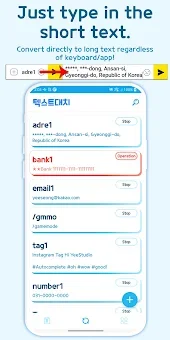
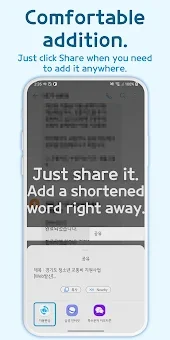
Tired of typing the same email, address, or account number repeatedly? Autocomplete - Text Expander is the ultimate productivity tool designed to save your time and reduce finger fatigue. This powerful Android app allows you to instantly recall any sentence or phrase using a simple shortcut.
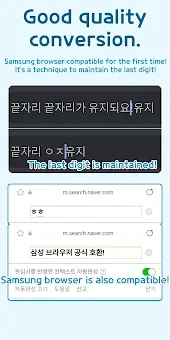
Whether you are handling customer support replies, posting on social media, or chatting in games, this app streamlines your typing experience across all applications. The app features perfect text replacement that works in any text input environment, including messengers, blogs, and games. It relies on the Accessibility Service to detect typed text and replace it with your configured shortcuts.
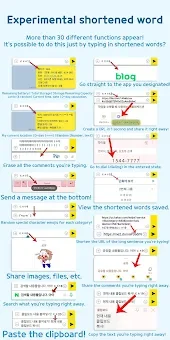
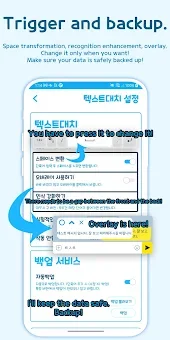
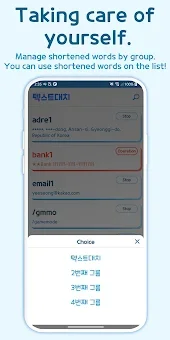
You can easily add and edit numerous boilerplate texts with an intuitive interface. Organize your shortcuts into folders like Work or Personal, and securely back up your data to restore it on a new device. Go beyond simple pasting with special dynamic shortcuts.
The app automatically generates real-time information such as the current date, time, or your location. You can also create D-Day counters for important events, generate random numbers, or view device info like battery level. These features turn imagination into reality, allowing you to input complex data with just a few characters.
Security is a top priority. Protect your shortcut list with a password or biometric authentication. You can also exclude specific apps where you do not want text expansion to occur.
How to install the app
- Check the version, Android compatibility, developer and source in the app details block.
- Open the Downloads tab and use the official source or an available catalog link.
- Before installing, review app permissions and use only sources you trust.
Frequently asked questions
How does the text replacement feature work on Android?
The app uses the Accessibility Service to detect typed text in any app and instantly replaces it with your saved shortcuts without needing root access.
Can I use dynamic shortcuts for dates and location?
Yes, you can use dynamic shortcuts to automatically insert the current date, time, location, or even calculate days until a specific event like an anniversary.
Is my shortcut data secure and private?
All your shortcut data is stored securely on your device. You can protect the app with a password or fingerprint, and data is not sent to external servers.
Does the app work in all messaging applications?
Yes, the text replacement feature works perfectly in all text input environments, including messengers, social media apps, blogs, and games on your Android device.
Similar apps








No comments yet. Be the first!