
Remove Text From Video
DownloadApp details
- Version
- 1.0.1
- Updated
- 03.10.2026
- Category
- Multimedia
- Compatibility
- Android
- Package name
com.codevoidsolutions.removetextfromvideo- Source
- Official Google Play page
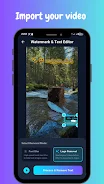
Are you looking for a simple way to remove text from videos? The Remove Text From Video app is the perfect solution for cleaning up videos, allowing you to quickly and effectively eliminate text, watermarks, logos, timestamps, captions, and other unwanted elements from any video in just seconds. With its user-friendly interface, you can easily drag and resize an interactive frame over any text or caption to instantly erase it.
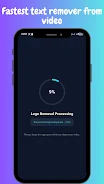
This app also provides the capability to remove watermarks and logos effortlessly, freeing your videos from brand icons and channel marks. Enjoy complete privacy as all processing is done offline on your Android device, ensuring that your videos remain secure and that you can work at maximum speed without any cloud uploads. Remove Text From Video offers two removal modes: the logo removal mode, which uses an advanced spatial interpolation filter to remove text while restoring the background, and a quick blur mode that instantly masks unwanted text, numbers, and timestamps with a local blur filter.
This flexibility makes it ideal for various user needs. The app ensures visually lossless export, allowing you to save processed clips in HD (H.264 / MP4) with unchanged audio quality. It even includes a built-in video player for previewing both the original and cleaned versions side by side before saving.
Whether you're a blogger, content creator, marketer, or just someone looking to enhance your videos, Remove Text From Video is a fast, easy, and effective way to clean up your footage without needing a subscription or registration. Try it today and experience its advantages!
How to install the app
- Check the version, Android compatibility, developer and source in the app details block.
- Open the Downloads tab and use the official source or an available catalog link.
- Before installing, review app permissions and use only sources you trust.
Frequently asked questions
What can I remove from my videos using this app?
You can remove text, watermarks, logos, timestamps, and other unwanted elements.
Is my video processing done online?
No, all video processing is done offline on your device for maximum privacy.
What formats can I export my edited videos in?
You can export your videos in HD (H.264 / MP4) format.
Do I need to register to use the app?
No, the app does not require any subscription or registration.
Similar apps











No comments yet. Be the first!