
PDF Reader & Editor: View PDF
DownloadApp details
- Version
- 1.1.5
- Updated
- 28.09.2026
- Category
- Tools
- Compatibility
- Android 12+
- Package name
com.pdfreader.pdfeditor.pdfviewer.document- Developer
- MoranJiyounge
- Source
- Official Google Play page
PDF Reader & Editor: View PDF is a robust and feature-rich Android application designed to streamline your document management experience on mobile devices. This versatile tool serves as an all-in-one solution for viewing, editing, and organizing PDF files, making it an essential utility for students, business professionals, and anyone who frequently handles digital documents. The app ensures quick loading and smooth rendering of various file formats, allowing you to access important materials anytime and anywhere with ease.
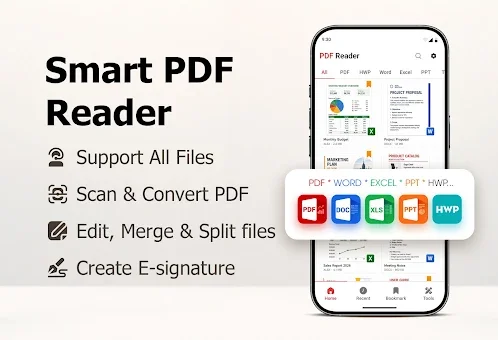
One of the standout features of this application is its extensive support for multiple document formats beyond just PDFs. You can seamlessly open and view files in DOC, XLSX, PPT, TXT, and HWP formats, eliminating the need for multiple separate apps. The interface is intuitive, offering smooth scrolling, zoom capabilities for detailed inspection, and text search functions within your document library.
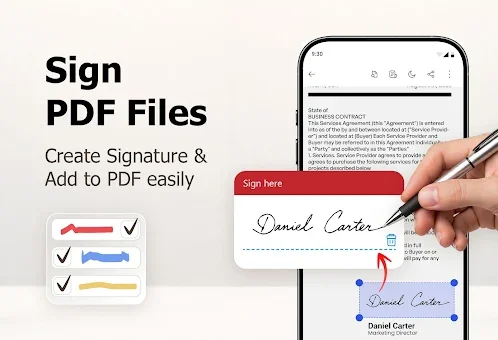
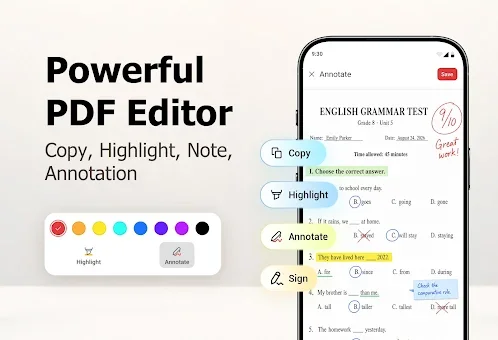
This flexibility ensures that you can handle a wide variety of file types without compatibility issues, saving time and reducing clutter on your device. Editing capabilities are at the core of this APK, providing tools to verify, fill out, and annotate documents directly on your screen. You can add handwritten notes, draw highlights, and insert electronic signatures, making it easy to collaborate or finalize contracts without printing.
How to install the app
- Check the version, Android compatibility, developer and source in the app details block.
- Open the Downloads tab and use the official source or an available catalog link.
- Before installing, review app permissions and use only sources you trust.
Frequently asked questions
What file formats does the PDF Reader & Editor support?
The application supports a wide range of formats including PDF, DOC, XLSX, PPT, TXT, and HWP, allowing you to view and edit various document types in one place.
Can I edit and sign documents on my Android device?
Yes, you can add notes, draw highlights, and insert electronic signatures directly within the app, making it easy to finalize contracts or review materials on the go.
Does the app include a document scanner feature?
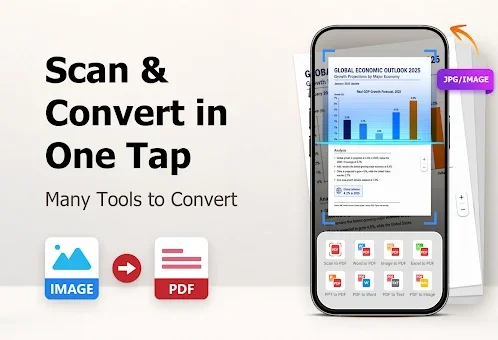
Absolutely. The built-in camera scanner converts photos of checks, receipts, and forms into high-quality PDF files, helping you digitize physical documents instantly.
How can I organize and secure my files?
You can rename, sort, and share files easily. Additionally, the app allows you to hide private documents in secure folders and create bookmarks for quick navigation.
No comments yet. Be the first!