
Photo Easy Recovery
DownloadApp details
- Version
- 1.1.0
- Updated
- 04.10.2026
- Category
- Tools
- Compatibility
- Android 7.0+
- Package name
com.photoeasy.recovery.valuesper- Developer
- P & L Studio
- Source
- Official Google Play page
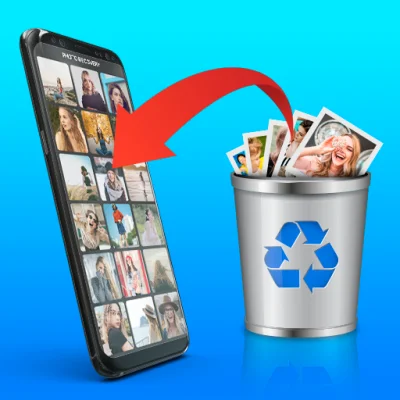
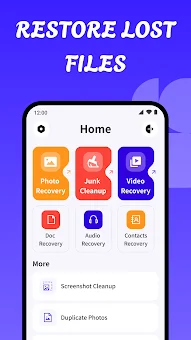
Losing important memories or critical work documents can be frustrating, but Photo Easy Recovery offers a streamlined solution to retrieve them. This Android application is designed to help users scan their devices for recently deleted files, including photos, videos, and documents. With a user-friendly interface, the app makes it easy to organize and review found data without requiring advanced technical knowledge.
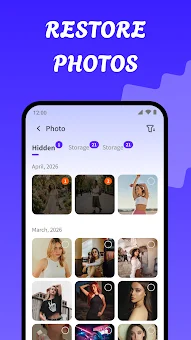
Whether you accidentally deleted a cherished photo or a necessary PDF, this tool provides a reliable way to recover your digital assets. One of the standout features of Photo Easy Recovery is its ability to categorize search results. Users can filter scans by file type, such as images, videos, or documents, making it easier to locate specific content.
The app groups results by category, allowing for a quick and organized review. Before committing to save any file, you can preview the recovered items to ensure they are the correct ones. This preview functionality adds a layer of confidence, ensuring you only restore the data you actually need.
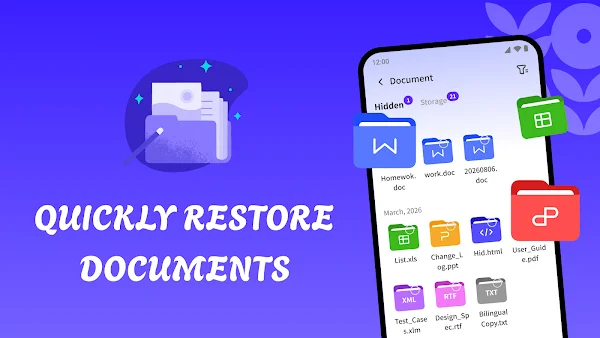
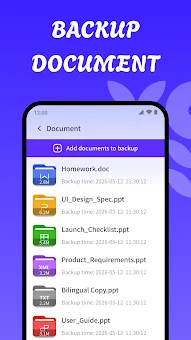
The application supports a wide range of popular file formats, making it versatile for various needs. It can scan for common image formats, video files, PDFs, and office documents like DOC, DOCX, XLSX, PPT, and TXT. The recovery process is intuitive, guiding even beginners through the steps to restore selected files with just a few simple actions.
How to install the app
- Check the version, Android compatibility, developer and source in the app details block.
- Open the Downloads tab and use the official source or an available catalog link.
- Before installing, review app permissions and use only sources you trust.
Frequently asked questions
Can Photo Easy Recovery recover permanently deleted files?
The app can recover files that are still present on the device and have not been overwritten by new data. Permanently deleted or reformatted files may not be recoverable.
Does Photo Easy Recovery upload my data to the cloud?
No, all scanning and processing occur locally on your Android device. Your personal photos and documents remain on your device and are not uploaded to external servers.
What file formats are supported for recovery?
The app supports a wide range of formats including images, videos, PDFs, and office documents like DOC, DOCX, XLSX, PPT, and TXT for comprehensive recovery options.
Is the interface easy to use for beginners?
Yes, the app features a simple and organized interface that guides users through the scanning and preview process, making it accessible even for those with limited technical experience.







No comments yet. Be the first!