
Video to MP3 - Audio Converter
DownloadApp details
- Version
- 3.4.0
- Updated
- 24.10.2026
- Category
- Multimedia
- Compatibility
- Android 8.0+
- Package name
com.taptech.mp3converter.videotomp3- Source
- Official Google Play page
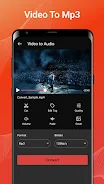
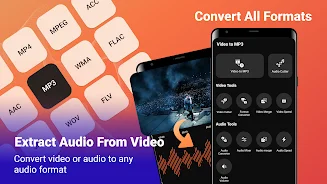
Transform your media library with Video to MP3 - Audio Converter, a fast and reliable Android app designed for seamless audio extraction and editing. This tool allows you to instantly pull sound from video clips directly on your smartphone, making it perfect for saving storage space by keeping only the audio files you need. The processing happens locally on your device, ensuring high speed and complete data privacy since your files are never uploaded to the cloud.
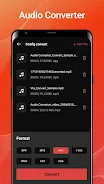
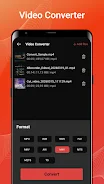
The app supports a wide range of input formats including MP4, MKV, and AVI, converting them into high-quality MP3 audio. It also handles audio-to-audio conversions between formats like WAV, AAC, OGG, and FLAC. A key advantage is batch processing, allowing you to convert multiple files simultaneously without interruption.
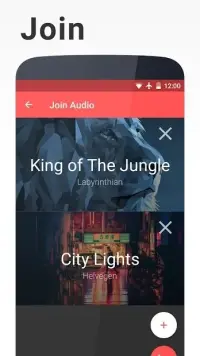
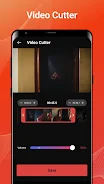
The user-friendly interface includes a background processing mode, so you can continue using your phone while conversions run in the background. Beyond simple conversion, this APK offers robust editing features. You can trim video clips before conversion, merge multiple clips into a single file, and adjust playback speed for slow-motion or fast-forward effects.
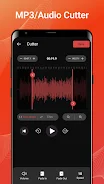
Audio editing tools let you mix tracks, change volume, and edit ID3 tags to organize your music library with artist names and album titles.
How to install the app
- Check the version, Android compatibility, developer and source in the app details block.
- Open the Downloads tab and use the official source or an available catalog link.
- Before installing, review app permissions and use only sources you trust.
Frequently asked questions
Does Video to MP3 - Audio Converter work offline?
Yes, all processing is done locally on your device, so it works stably without an internet connection.
What video formats are supported for conversion?
The app supports MP4, MKV, AVI, and other common video formats for conversion to MP3.
Can I edit audio tags and merge clips?
Yes, you can edit ID3 tags, merge multiple clips into one file, and adjust audio volume and speed.
Similar apps



No comments yet. Be the first!