
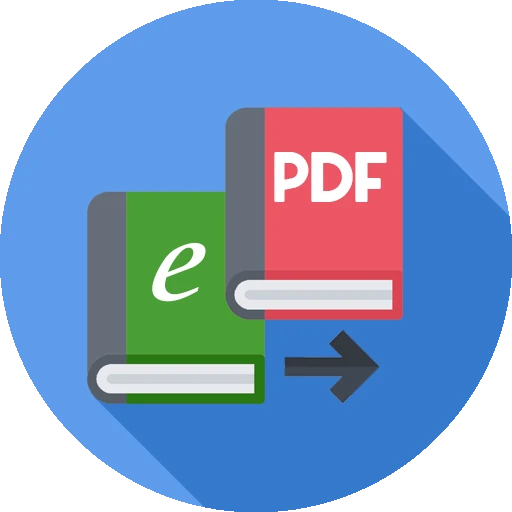
Ebook Converter - Epub to pdf
Open in Google PlayApp details
- Version
- 22
- Updated
- 21.09.2026
- Category
- Tools
- Compatibility
- Android 2.0+
- Package name
com.tscnpm.convert.epub.to.pdf.ebook.mobi.to.pdf.converter- Source
- Official Google Play page
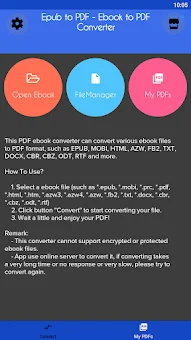
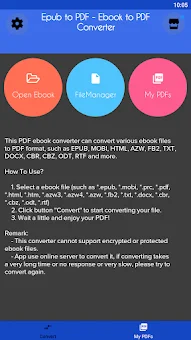
Transform your digital reading library with the Ebook Converter - Epub to pdf app, a versatile Android tool designed to handle a wide array of file formats. This application allows you to convert various ebook files into other popular formats, ensuring compatibility across different devices and e-readers. Whether you are dealing with EPUB, MOBI, HTML, AZW, FB2, TXT, DOCX, CBR, CBZ, ODT, or RTF, this converter supports a comprehensive list of input types.
It is an essential utility for users who frequently switch between different ebook ecosystems or need to archive their digital books in a specific format for easier access and storage on their Android smartphones or tablets. Using the app is straightforward and intuitive, requiring just a few simple steps to get started. First, select the ebook file you wish to convert from your device storage.
The app supports a broad range of extensions including *.epub, *.mobi, *.prc, *.pdf, *.html, *.htm, *.azw3, *.azw4, *.azw, *.fb2, *.txt, *.docx, *.cbr, *.cbz, *.odt, and *.rtf. Once your source file is selected, choose your desired output format from the available options such as epub, mobi, pdf, html, azw, docx, or txt. This flexibility makes it easy to adapt your reading material to suit your preferred e-reader or document viewer.
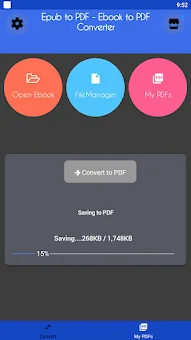
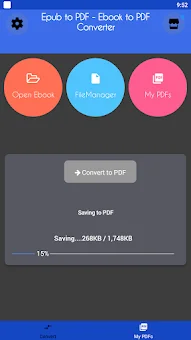
After selecting both the input file and the target format, simply click the "Convert to PDF" button to initiate the conversion process.
How to install the app
- Check the version, Android compatibility, developer and source in the app details block.
- Open the official app page on Google Play if a link is available.
- Before installing, review app permissions and use only sources you trust.
Frequently asked questions
What file formats does the Ebook Converter support?
The app supports a wide variety of input formats including EPUB, MOBI, HTML, AZW, FB2, TXT, DOCX, CBR, CBZ, ODT, and RTF for conversion to your desired output format.
Where are the converted files saved on my Android device?
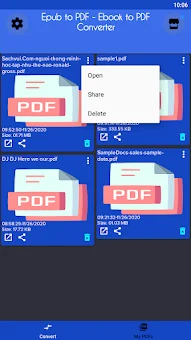
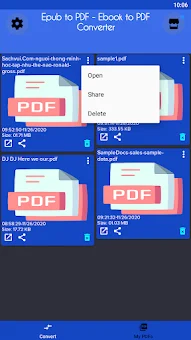
All converted ebook files are automatically saved in a specific folder on your device located at Phone/Ebook_Converter for easy access and management.
Does the converter work with encrypted or DRM-protected ebooks?
No, the converter does not support encrypted or protected ebook files, so DRM-locked books may not convert successfully using this application.
What should I do if the conversion process is slow or fails?
Since the app uses an online server, slow internet can affect speed. If the process takes too long or fails, try converting the file again to resolve potential temporary issues.
Similar apps



No comments yet. Be the first!