

Launcher for Android 17 Style
Open in Google PlaySpaceAPK does not provide APK files. A listed Google Play link is a reference: check the store for availability, version, price and paid features. The catalog version is not offered as a downloadable file.
App details
- Recorded version
- 3.7
- Updated
- 22.09.2026
- Category
- Systemic
- Compatibility
- Android 12+
- Package name
com.widgets.apps.android12- Source
- Google Play reference
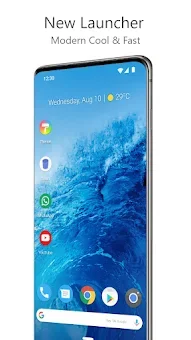
Launcher for Android 17 Style is a powerful, customizable, and universal home screen replacement that offers users new possibilities for personalizing their devices. This Android theme provides modern features that enhance your home screens while maintaining a simple and intuitive selection for everyone. If you're looking to drastically change the appearance of your home screen or simply prefer a more stylish and functional launcher, Android 17 Style is the perfect solution.
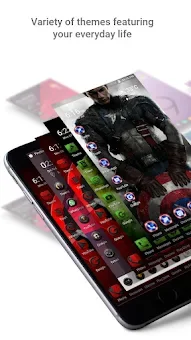
The main features include innovative capabilities that bring the latest launcher functionalities to all devices. You can customize icons with thousands of themes available in the Play Store. The night mode and dark theme options automatically activate at specified times or can be set as a permanent option.
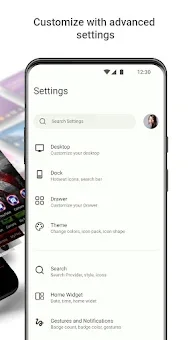
Additionally, the launcher allows for customizable additional settings, including vertical or horizontal scrolling, page transition effects, and card options. You can also position your icons freely and see gaps between grid cells for precise organization. The backup and restore function makes it easy to transition from one phone to another.
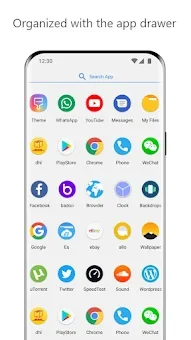
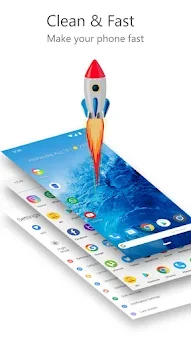
Optimized performance ensures smooth animations, providing a fast and responsive interface, even for older devices. This launcher is ideal for anyone wanting to enhance their Android experience, organize their apps, and customize their screen appearance according to personal preferences.
Availability and source
- Check the version, Android compatibility, developer and source in the app details block.
- Open the official app page on Google Play if a link is available.
- Before installing, review app permissions and use only sources you trust.
Frequently asked questions
What features does Launcher for Android 17 Style offer?
It offers customizable icons, night mode, and various animation effects to enhance your Android experience.
Is it easy to switch from another launcher?
Yes, it has a backup and restore feature that simplifies transitioning between devices.
Can I customize the layout of my home screen?
Absolutely, you can freely position icons and adjust grid spacing for a personalized layout.
Does it support themes from the Play Store?
Yes, you can choose from thousands of themes available in the Play Store to customize your icons.
Similar apps




No comments yet. Be the first!