
PDF Reader: Read PDF Files
DownloadApp details
- Version
- 1.0.6
- Updated
- 06.10.2026
- Category
- Tools
- Compatibility
- Android
- Package name
com.pdf.check.view.edit- Developer
- Tripley
- Source
- Official Google Play page
Discover the ultimate tool for managing your digital documents with PDF Reader: Read PDF Files, a robust and reliable Android application designed to streamline your reading and editing experience. This comprehensive app serves as an all-in-one solution for viewing, scanning, and organizing PDF files on your mobile device. Whether you are a student reviewing lecture notes, a professional handling work reports, or someone who needs to quickly access important forms, this application provides the essential features required for maximum productivity.
The interface is crafted to be user-friendly, ensuring that navigating through complex documents is both intuitive and efficient for users of all technical levels. One of the standout features of this app is its powerful text selection capability. You can easily highlight and copy text directly from within PDF documents, allowing you to extract key information in seconds without the need for external tools.
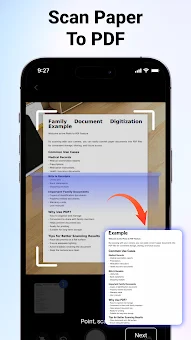
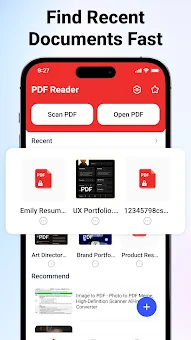
The application also includes a convenient history feature that gives you quick access to your recently opened files, saving you time when returning to important documents. Additionally, you can mark specific files as favorites, creating a personalized library of your most frequently used materials for instant retrieval whenever you need them. Beyond simple viewing, PDF Reader: Read PDF Files transforms your smartphone camera into a powerful scanning device.
How to install the app
- Check the version, Android compatibility, developer and source in the app details block.
- Open the Downloads tab and use the official source or an available catalog link.
- Before installing, review app permissions and use only sources you trust.
Frequently asked questions
Can I scan paper documents to create PDF files with this app?
Yes, the app allows you to use your smartphone camera to scan paper documents, receipts, and notes, converting them into digital PDF files that you can save and share instantly.
Does this application support text selection and copying?
Absolutely. You can select and copy text directly from within PDF documents, making it easy to extract information and paste it into other apps or notes for quick reference.
Is it possible to merge or split PDF files using this tool?
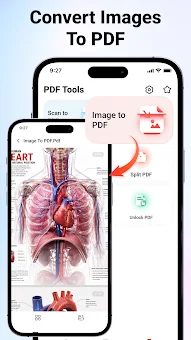
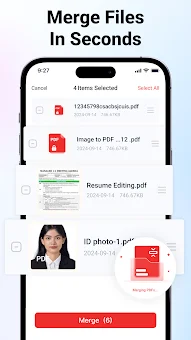
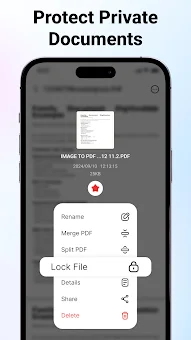
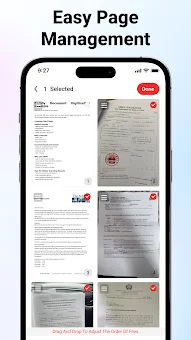
Yes, the app includes tools to merge multiple PDF documents into one file or split large documents into smaller sections in seconds, helping you manage file sizes and organization effectively.
Who is this PDF reader best suited for?
This application is ideal for students, professionals, and anyone who frequently works with documents, offering features that simplify reading, scanning, and organizing files for maximum productivity.
No comments yet. Be the first!