

Ping - Messenger
DownloadApp details
- Updated
- 06.10.2026
- Compatibility
- Android
- Package name
app.ping.native- Developer
- Neuromom
- Source
- Official Google Play page
Ping is a modern messenger application designed for swift and understandable communication with family, friends, colleagues, and work teams. This app unites all necessary communication tools in one convenient interface, allowing you to stay connected at any time and from any location. The main advantage of Ping is its speed and intuitive structure.
You can instantly open required conversations, send messages, and start calls without extra steps or delays. The interface is organized so that important functions are always at hand: chats, groups, media files, and settings are easy to find thanks to thoughtful navigation. In addition, high-quality video calls are available, allowing you to see the conversation partner face-to-face.
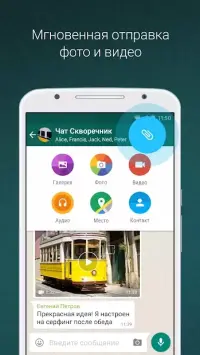
For those who find it more convenient to speak than to write, there is the option to record and send voice messages. You can share photos, videos, audio files, and documents without switching between other programs. All media files from conversations are stored in one place, and convenient filters and search will help you instantly find the required content.
Security and confidentiality are a priority for developers. You can manage the login password, storage password, device verification, recovery email, and backup codes. On compatible devices, biometric protection is available.
You can set access from a trusted network and view connected devices.
How to install the app
- Check the version, Android compatibility, developer and source in the app details block.
- Open the Downloads tab and use the official source or an available catalog link.
- Before installing, review app permissions and use only sources you trust.
Frequently asked questions
What are the main features of the Ping - Messenger app?
Ping - Messenger offers instant messaging, high-quality video calls, voice messages, and secure document sharing in a single intuitive interface for Android devices.
Is Ping - Messenger secure for personal and work communication?
Yes, Ping prioritizes security with options for login passwords, storage passwords, device verification, biometric protection, and customizable account visibility settings.
Can I share media files directly within Ping - Messenger?
Absolutely. You can share photos, videos, audio files, and documents directly within conversations without needing to switch to other programs or apps.
How does Ping - Messenger help organize conversations?
The app features thoughtful navigation with easy access to chats, groups, and media files. Convenient filters and search functions help you instantly find required content.
Similar apps











No comments yet. Be the first!