

WhatsApp Messenger
Open in Google PlayApp details
- Updated
- 03.08.2021
- Package name
com.whatsapp- Source
- Official Google Play page
WhatsApp Messenger is a widely recognized instant messaging application that allows you to connect with friends and family across the globe. By utilizing your device's internet connection, you can send messages, make voice and video calls, and share media without incurring traditional SMS or call fees. This makes it an essential tool for staying in touch regardless of where your contacts are located, provided they also have the app installed on their devices.
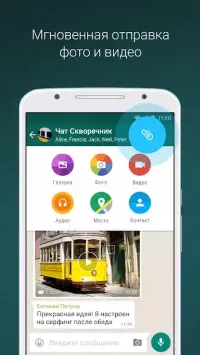
The application supports a rich variety of media sharing options. You can easily exchange high-quality photos, videos, and documents with your contacts. Additionally, WhatsApp Messenger includes support for voice messages, which is particularly convenient when you prefer to speak rather than type out a long text.
This feature ensures smooth communication even in situations where typing might be cumbersome or impractical. Group communication is another core strength of this platform. You can create groups with multiple people, enabling everyone to interact in a shared chat space.
This is especially useful for organizing events, coordinating with colleagues, or simply keeping a circle of friends updated on the latest news. The interface is designed to be intuitive, making it easy for users of all technical levels to navigate and manage their conversations effectively. Security and reliability are prioritized in WhatsApp Messenger.
The app offers a high level of security to protect your personal data and communications.
How to install the app
- Check the version, Android compatibility, developer and source in the app details block.
- Open the official app page on Google Play if a link is available.
- Before installing, review app permissions and use only sources you trust.
Frequently asked questions
Is WhatsApp Messenger free to use?
Yes, WhatsApp Messenger is completely free to download and use. It utilizes your internet data connection for sending messages and making calls, avoiding traditional SMS or long-distance call charges from your mobile carrier.
Can I make video calls with WhatsApp Messenger?
Absolutely. WhatsApp Messenger supports high-quality voice and video calls. You can initiate video calls with individual contacts or within group chats, allowing you to see and hear your friends and family in real time.
How secure is WhatsApp Messenger?
WhatsApp Messenger employs end-to-end encryption for all messages and calls. This means that only you and the person you are communicating with can read or listen to the content, and no one else, including WhatsApp itself, can see or hear it.
What media can I share using WhatsApp Messenger?
You can share a wide variety of media files, including photos, videos, documents, and voice notes. The app also supports sending location data and contact information, making it a comprehensive tool for sharing information quickly and efficiently.
Similar apps









No comments yet. Be the first!