
Samsung Smart Switch Mobile
Open in Google PlayApp details
- Updated
- 03.09.2026
- Category
- Tools
- Compatibility
- ANDROID
- Package name
com.sec.android.easymover- Developer
- Samsung Electronics Co., Ltd.
- Source
- Official Google Play page
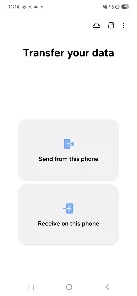
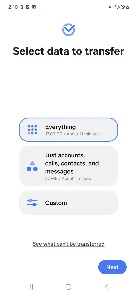
Samsung Smart Switch Mobile is the official tool designed to streamline the process of transferring data when you upgrade from an old smartphone to a new Samsung Galaxy device. This application provides users with complete freedom and convenience, ensuring that no important files are lost during the migration process. It allows you to seamlessly move contacts, music, photos, calendar events, text messages, device settings, and many other elements to your new phone with minimal effort.
The app not only transfers your data but also helps you quickly find your favorite applications or suggests similar alternatives available in the Google Play Store. This feature makes the transition to a new device as comfortable and intuitively understandable for the user as possible. You do not need to manually reinstall every app; the tool identifies your previous usage patterns and guides you to the right downloads, saving significant time during setup.
Samsung Smart Switch supports data transfer from other Android smartphones running version 6.0 or higher, as well as from iOS devices. iPhone users can utilize several methods for data migration. You can perform a wired transfer from iOS 12.0 or higher using a Lightning cable or a 30-pin connector along with a USB connector. This wired method is often the fastest and most reliable for large volumes of data.
Alternatively, you can import data from the iCloud cloud service, which requires iOS 4.2.1 or higher and an Apple ID.
How to install the app
- Check the version, Android compatibility, developer and source in the app details block.
- Open the official app page on Google Play if a link is available.
- Before installing, review app permissions and use only sources you trust.
Frequently asked questions
Does Samsung Smart Switch work with iPhones?
Yes, the app supports data transfer from iOS devices. You can use a wired connection with a Lightning cable or import data directly from iCloud if you have an Apple ID.
What data can I transfer with this APK?
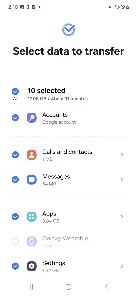
You can transfer contacts, messages, photos, videos, music, call logs, notes, alarms, Wi-Fi settings, wallpapers, and even your home screen layout to a new Samsung device.
Do I need a computer to transfer data?
No, you can transfer data directly between devices using a USB cable or wirelessly. A computer is only needed if you prefer using the desktop version of the software for larger backups.
Which Android versions are supported?
The app supports data transfer from Android smartphones running version 6.0 Marshmallow or higher. It ensures compatibility with most modern Android devices for a smooth migration process.





No comments yet. Be the first!