

Samsung Music
DownloadApp details
- Version
- 16.2.44.0
- Updated
- 02.10.2026
- Category
- Multimedia
- Compatibility
- Android 9.0+
- Package name
com.sec.android.app.music- Source
- Official Google Play page
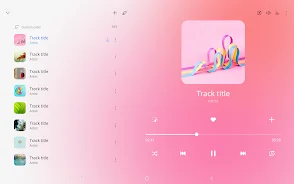
Samsung Music is a powerful music player optimized for Samsung devices running on Android. This app offers robust playback features along with a user-friendly interface, making music listening both enjoyable and straightforward. It supports a variety of audio formats, including MP3, AAC, and FLAC, although the supported formats may vary depending on the device.
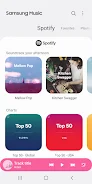
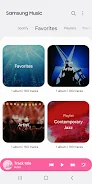
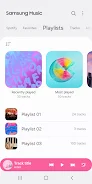
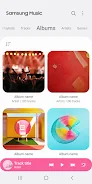
Users can efficiently manage their playlists by categories such as tracks, albums, artists, genres, folders, and composers, ensuring easy access to their favorite music. The clean and intuitive interface is designed to enhance the user experience, allowing anyone to navigate effortlessly through their music library. Additionally, Samsung Music provides playlist recommendations from Spotify, enabling users to discover new music tailored to their tastes.
The Spotify tab is available only in regions where the Spotify service operates, adding a unique touch to the app’s functionality. Samsung Music is ideal for anyone who appreciates high-quality sound and convenience while listening to music. Whether you are a casual listener or a true audiophile looking to organize your music collection, this app caters to all.
With its simplicity and extensive features, Samsung Music is a reliable companion in the world of music. Overall, Samsung Music stands out as an excellent choice for those wanting to enjoy music without unnecessary hassle. Its combination of usability and powerful capabilities makes it a must-have for Samsung device users who want to elevate their music experience.
How to install the app
- Check the version, Android compatibility, developer and source in the app details block.
- Open the Downloads tab and use the official source or an available catalog link.
- Before installing, review app permissions and use only sources you trust.
Frequently asked questions
What formats does Samsung Music support?
Samsung Music supports various audio formats including MP3, AAC, and FLAC.
Is there a Spotify integration in Samsung Music?
Yes, Samsung Music offers playlist recommendations from Spotify, available in regions where Spotify operates.
Can I organize my music library in Samsung Music?
Yes, you can manage your playlists by categories such as tracks, albums, and genres.
Is Samsung Music available for all Android devices?
Samsung Music is optimized for Samsung devices but may work on other Android devices with varying features.
Similar apps








No comments yet. Be the first!