

Shiori ePub Reader & TTS
DownloadApp details
- Version
- 2.0.14
- Updated
- 12.10.2026
- Category
- Reading and news
- Compatibility
- Android
- Package name
com.shiori.epubreader- Source
- Official Google Play page
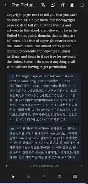
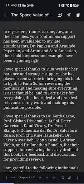
Shiori ePub Reader & TTS is a modern EPUB reader designed for those who cherish reading. With a clean, distraction-free interface and powerful features, Shiori helps you focus on what matters most – your books. Key features of Shiori include a seamless reading experience, support for personal libraries, the ability to translate entire books offline, and text-to-speech functionality in multiple languages.
Additionally, you can highlight important passages, leave notes, and create bookmarks, preserving your reading memories even after deleting EPUB files. Shiori caters to a wide range of users, from novel enthusiasts to students and researchers, as well as language learners. If you enjoy audiobooks, Shiori also offers the option to convert any book into an audio format, allowing you to listen while you read.
In summary, Shiori ePub Reader & TTS is the perfect choice for anyone who values ease of use and multifunctionality. This lightweight app provides convenient reading, cloud synchronization, and analysis of your reading habits. Choose Shiori and enjoy uninterrupted reading!
How to install the app
- Check the version, Android compatibility, developer and source in the app details block.
- Open the Downloads tab and use the official source or an available catalog link.
- Before installing, review app permissions and use only sources you trust.
Frequently asked questions
What file formats does Shiori support?
Shiori primarily supports EPUB file formats for reading.
Can I use Shiori offline?
Yes, Shiori allows offline reading and translation of books.
Is there a feature for text-to-speech?
Yes, Shiori includes a text-to-speech feature in multiple languages.
Can I highlight text and take notes?
Absolutely, Shiori allows you to highlight text and take notes while reading.
Similar apps




No comments yet. Be the first!