

Update Sleeping Apps
Open in Google PlaySpaceAPK does not provide APK files. A listed Google Play link is a reference: check the store for availability, version, price and paid features. The catalog version is not offered as a downloadable file.
App details
- Recorded version
- 0.5
- Updated
- 20.09.2026
- Category
- Tools
- Compatibility
- Android
- Package name
app.dopita.smsn.updater- Source
- Google Play reference
Update Sleeping Apps is a specialized Android utility designed primarily for Samsung smartphone users who want to keep their applications current without manual intervention. The core function of this tool is to automatically update apps that have been placed in deep sleep mode by the system's power-saving features. When you use energy-saving modes on your Samsung device, inactive programs are put to sleep to extend battery life.
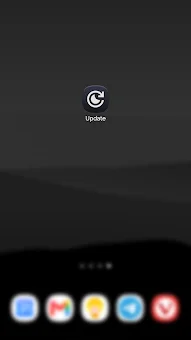
However, while an app is in this state, it cannot receive automatic updates, which can lead to outdated software if left unchecked. The main advantage of Update Sleeping Apps is the complete automation of this process. The application features no user interface, as its logic is designed to be maximally simple and effective.
As soon as you launch the target program, it immediately activates all your apps currently in deep sleep. They temporarily wake up and are launched by the system. After this, the Google Play Market opens automatically, initiating the verification and installation of updates for all specified programs.
You do not need to press anything or confirm actions; the system handles everything on its own. This tool is ideal for those who value their time and want to keep all their programs up-to-date without wasting effort on manual management.
Availability and source
- Check the version, Android compatibility, developer and source in the app details block.
- Open the official app page on Google Play if a link is available.
- Before installing, review app permissions and use only sources you trust.
Frequently asked questions
How does Update Sleeping Apps work on Samsung devices?
The app automatically wakes up applications in deep sleep mode, launches them to trigger updates via the Play Store, and then returns them to sleep mode to conserve battery life without user intervention.
Does Update Sleeping Apps have a user interface?
No, the application is designed to be minimalist and does not have a visible user interface. It operates in the background with simple logic to automate the update process efficiently.
Is this app suitable for devices other than Samsung?
While primarily optimized for Samsung smartphones using their specific deep sleep features, it can be used on other Android devices that support similar power-saving modes for background applications.
Will this app consume a lot of battery while updating?
No, because the app quickly wakes the programs, updates them, and immediately returns them to sleep mode, it minimizes battery consumption while ensuring your software remains current and secure.


No comments yet. Be the first!
Leave a comment