
Files by Google
Open in Google PlaySpaceAPK does not provide APK files. A listed Google Play link is a reference: check the store for availability, version, price and paid features. The catalog version is not offered as a downloadable file.
App details
- Updated
- 24.11.2026
- Category
- Tools
- Compatibility
- ANDROID
- Package name
com.google.android.apps.nbu.files- Developer
- Google LLC
- Source
- Google Play reference
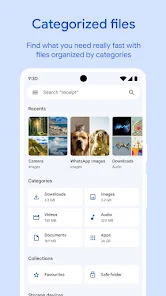
Files by Google is a lightweight and efficient file manager designed to help Android users manage their device storage with ease. The application provides smart recommendations to clean up unnecessary data, allowing you to quickly identify duplicate files, large media, and cached data from chat applications. By organizing your photos, videos, and documents, you can reclaim valuable space on your internal storage, SD card, or USB drive without losing important memories.
Sharing files has never been faster or more secure. With Quick Share, you can transfer photos, videos, and apps to nearby Android devices and Chromebooks at speeds up to 480 Mbps. These transfers occur offline and are protected by end-to-end encryption, ensuring your data remains private.
You can also back up important files directly to Google Drive or other cloud storage apps to keep your device uncluttered while maintaining easy access to your data. The app includes a secure lock feature that lets you protect sensitive files with a PIN or pattern distinct from your device lock. Additionally, you can play offline media with advanced controls like playback speed adjustment and shuffle.
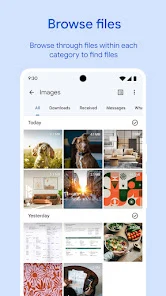
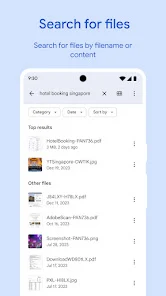
Files by Google uses less than 20 MB of storage, contains no ads, and offers a clean interface that makes browsing and sorting files by size intuitive and straightforward for all Android users.
Availability and source
- Check the version, Android compatibility, developer and source in the app details block.
- Open the official app page on Google Play if a link is available.
- Before installing, review app permissions and use only sources you trust.
Frequently asked questions
How does Files by Google help free up device storage?
The app analyzes your device to recommend duplicate files, cached data, and old photos from chat apps that can be safely deleted to reclaim space.
Is file sharing via Quick Share secure?
Yes, Quick Share uses end-to-end encryption to ensure that your files are transferred securely between Android devices and Chromebooks offline.
Can I lock specific files within the Files by Google app?
Yes, you can secure sensitive files with a unique PIN or pattern that is separate from your main device lock screen for added privacy.
Does the Files by Google app consume a lot of storage space?
No, the application is highly efficient and uses less than 20 MB of storage on your device while remaining completely free of advertisements.
Similar apps

No comments yet. Be the first!
Leave a comment