

Quest Alarm
Open in Google PlayApp details
- Version
- 1.0.0
- Updated
- 10.09.2026
- Category
- Tools
- Compatibility
- Android
- Package name
com.flamehost.questclock- Source
- Official Google Play page
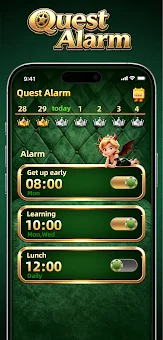
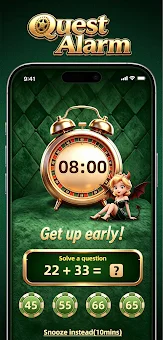
Quest Alarm is a smart alarm clock designed to help you organize your daily schedule and make your mornings more comfortable. With customizable alarms and flexible settings, you can find the perfect wake-up routine that fits your lifestyle. The app allows you to create multiple alarms for different times of the day, making it easy to manage your wake-up calls whether it's for work or leisure.
You can set one-time or recurring schedules, ensuring you wake up on time every day without hassle. Choose your favorite alarm sound to wake up gently, or utilize the snooze feature for those extra few minutes of sleep. Quest Alarm is perfect for anyone looking to improve their morning habits.
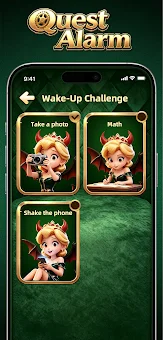
If you want to wake up easily and stress-free, or need to complete simple tasks before turning off the alarm, this app will be your ideal assistant. Ultimately, Quest Alarm is not just an alarm clock; it’s your personal assistant that helps you organize your day from the very start, allowing you to approach each morning with renewed strength and energy.
How to install the app
- Check the version, Android compatibility, developer and source in the app details block.
- Open the official app page on Google Play if a link is available.
- Before installing, review app permissions and use only sources you trust.
Frequently asked questions
What features does Quest Alarm offer?
Quest Alarm offers customizable alarms, snooze options, and multiple schedules for different days.
Is Quest Alarm free to download?
Yes, Quest Alarm is available for free download on Android.
Can I set multiple alarms with Quest Alarm?
Yes, you can create multiple alarms for various times throughout your day.
Does Quest Alarm have a snooze feature?
Yes, you can use the snooze feature for additional sleep time.





No comments yet. Be the first!